Chat with your Odoo. Safely.
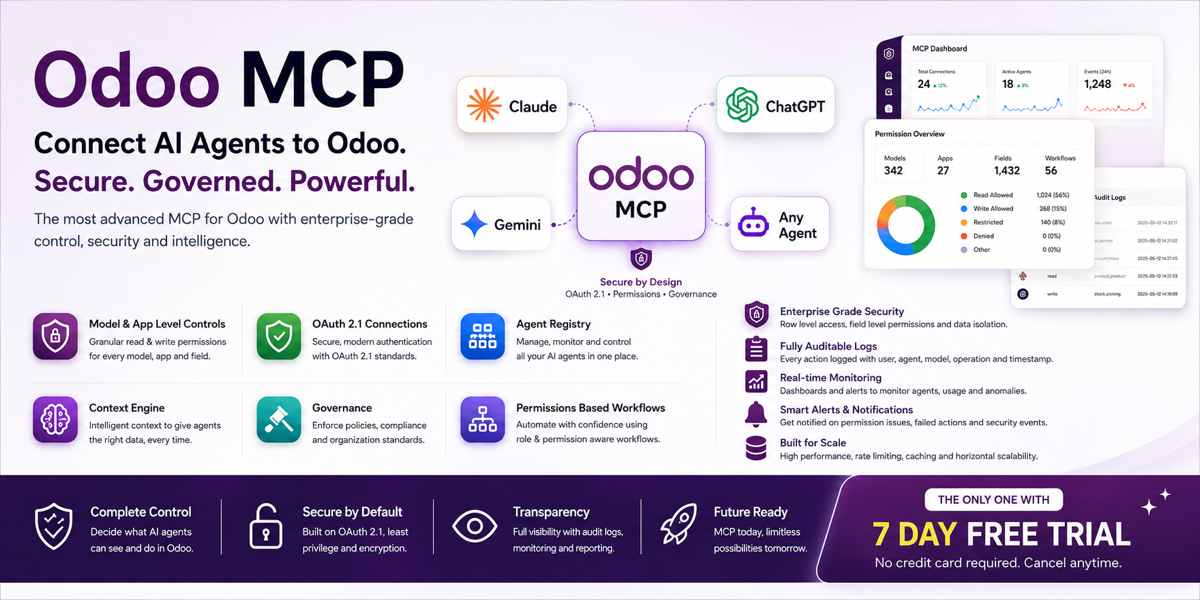
Connect Claude, ChatGPT, Gemini or Cursor to Odoo with one-click OAuth 2.1. Every AI action runs as the real signed-in user — scoped, rate-limited, audited and approval-gated. Not a bare connector: the governance layer your security team will actually approve.
Don't take our word for it. Try it.
Every other Odoo AI connector asks you to install first and hope. This one is live right now, on real (sample) Odoo data, with nothing to sign up for. Log in, ask it a question, watch it work — or watch the product walkthrough first.
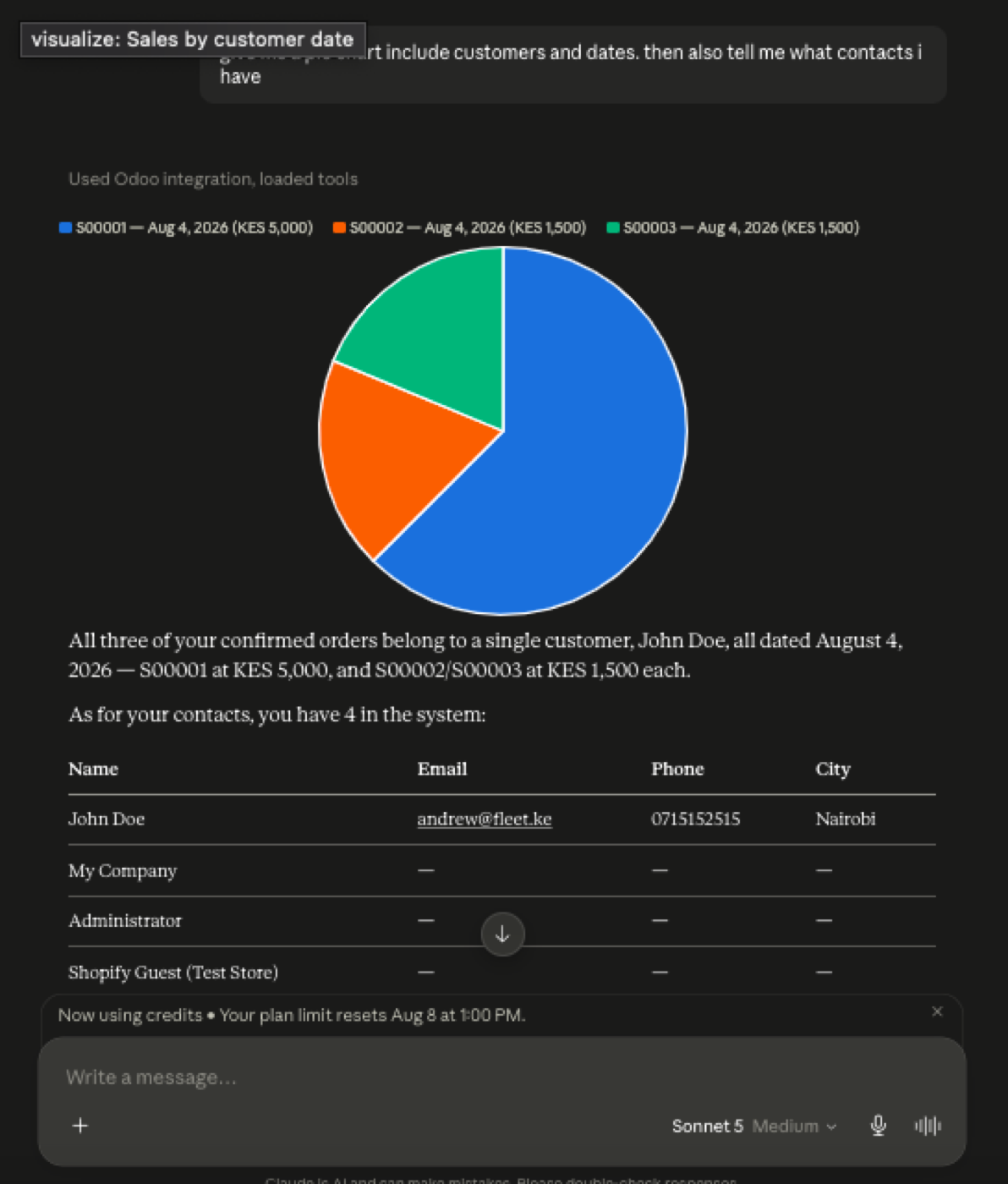
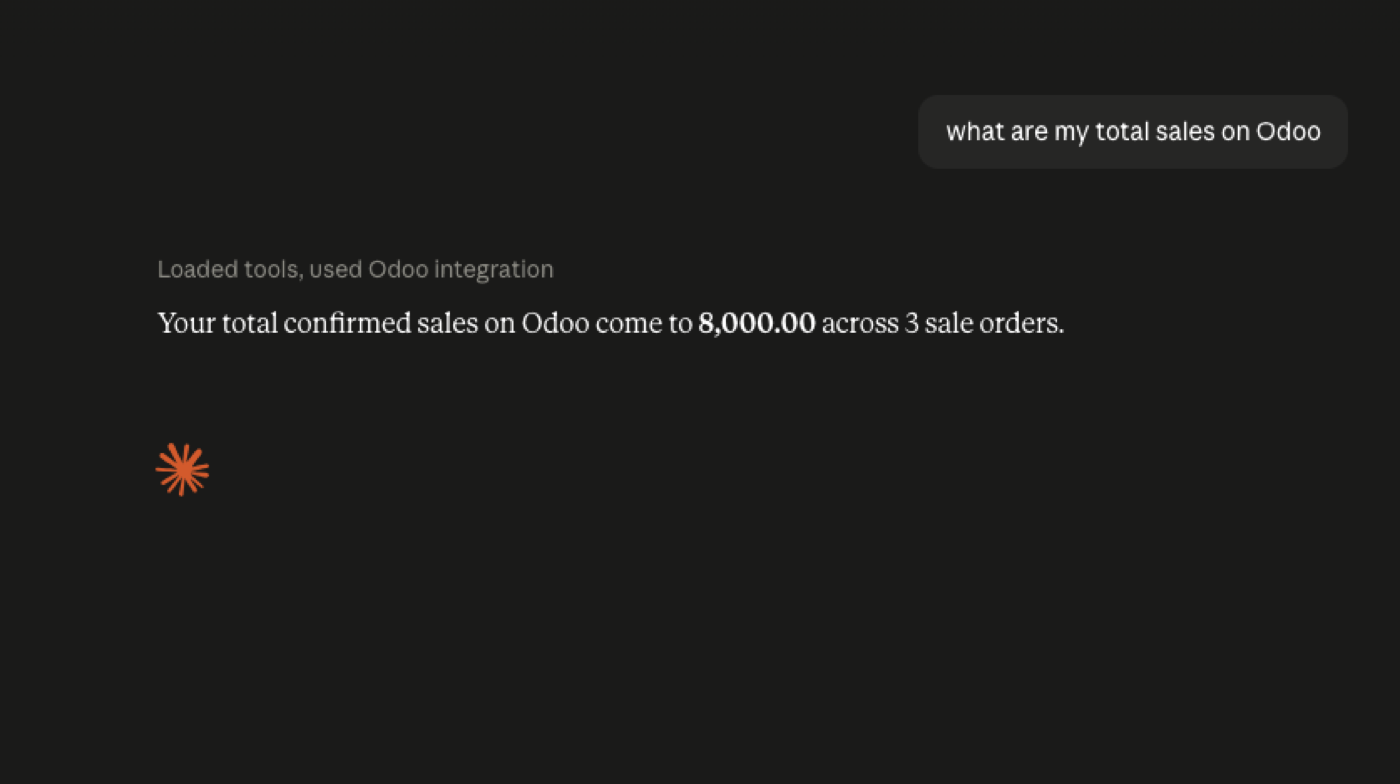
Ask Claude. Get live Odoo answers.
Full walkthrough of Odoo MCP in action — connect an assistant, ask real questions against sample ERP data, and see the reply land in chat.
Product demo: connecting an MCP client and querying live Odoo. Prefer hands-on? Open the sandbox · Watch on YouTube
Not a connector. A governance layer.
A bare MCP connector hands the AI a shared admin token and hopes for the best. This is what makes AI-over-ERP something that survives a security review. Watch the controls walkthrough.
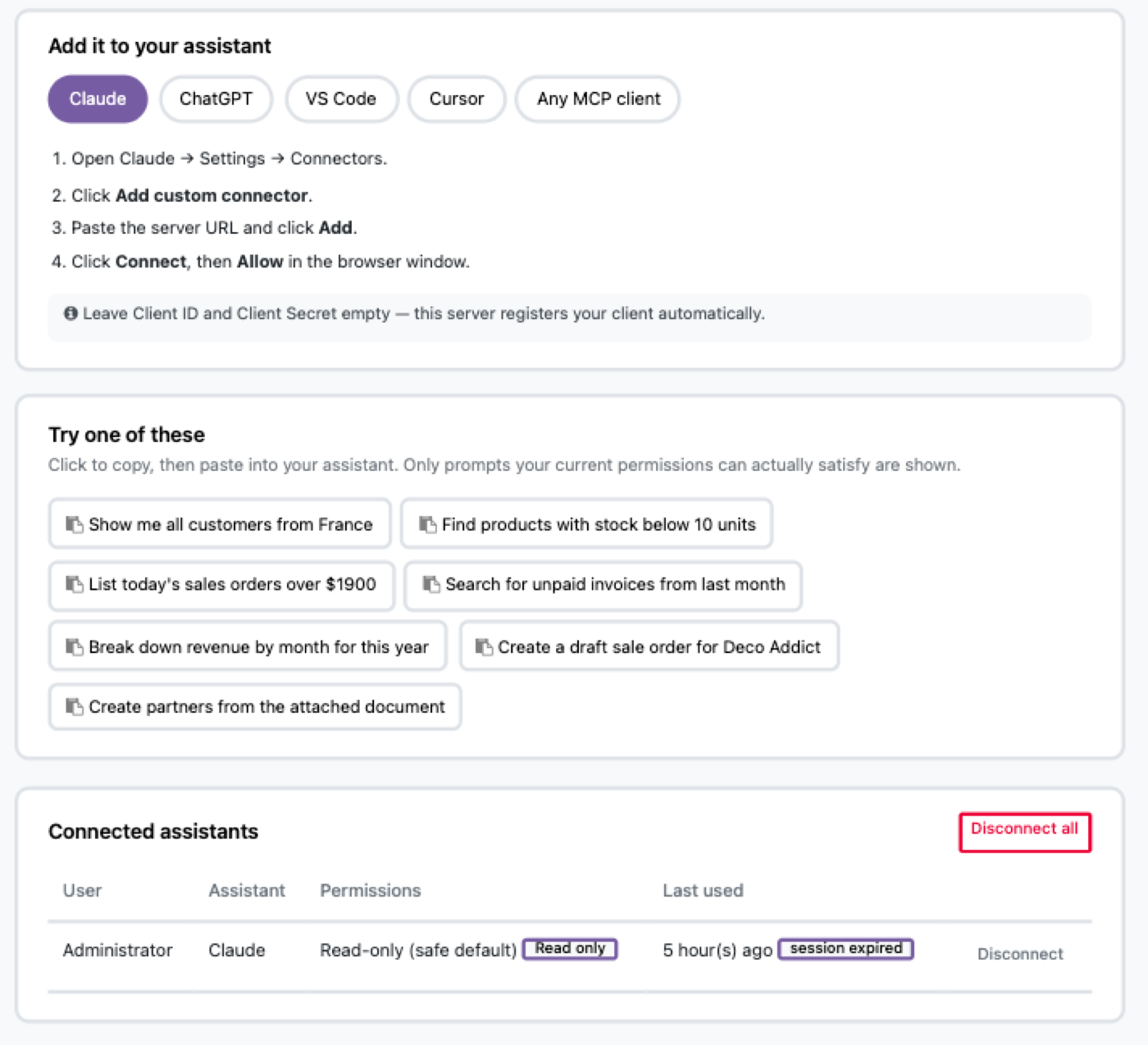
Two clicks, not a config file
Pick Claude, ChatGPT, Cursor or any MCP client, paste one URL, click Allow. No client ID or secret to copy — the server registers itself.
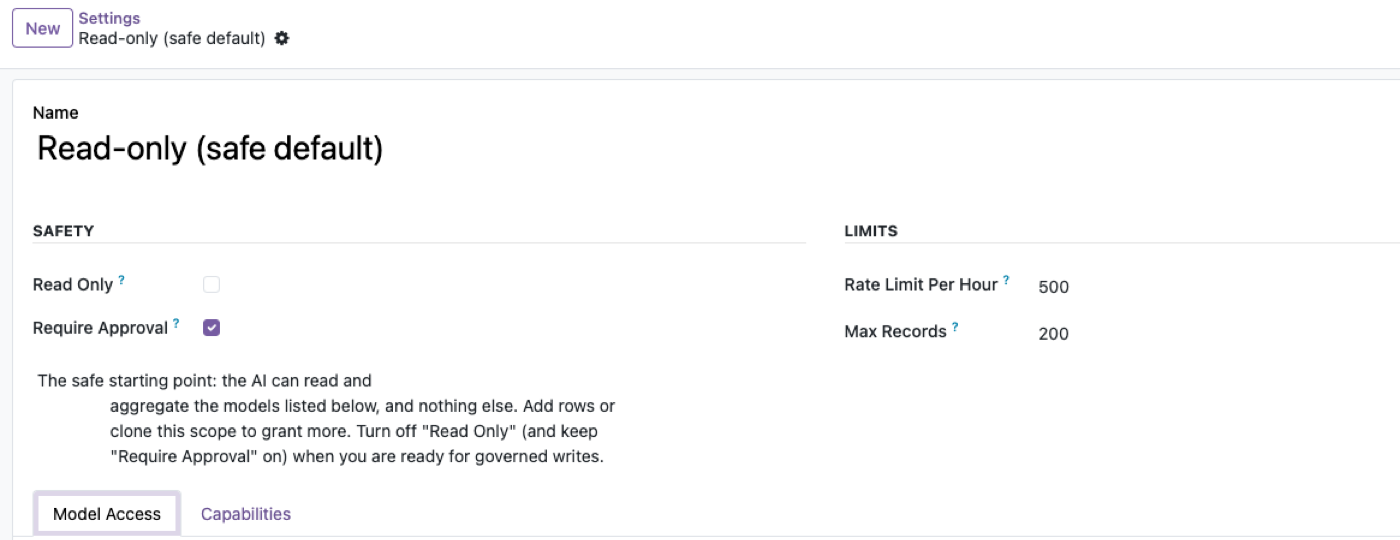
Read-only, until you say otherwise
The shipped default can read and aggregate a short list of models and nothing else. Turning on writes and turning off human approval are two separate, deliberate decisions.
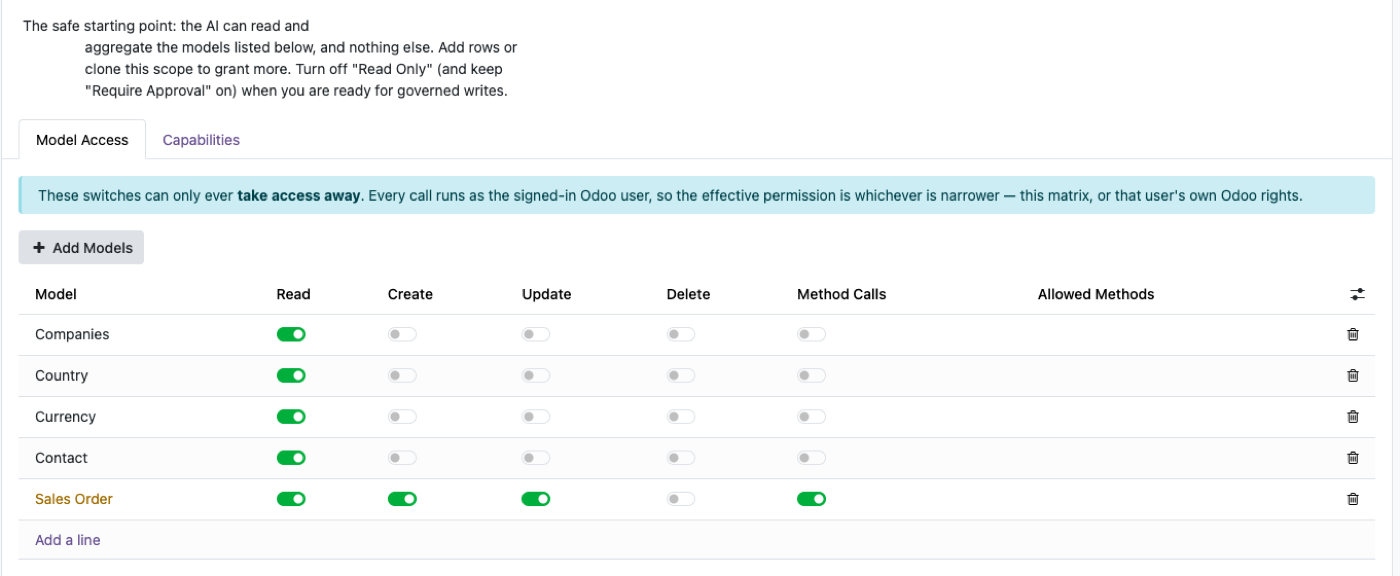
One matrix, every model
Read, Create, Update, Delete and Method Calls, per model. Switches can only ever take access away — the effective permission is always the narrower of this matrix and the user's own Odoo rights.
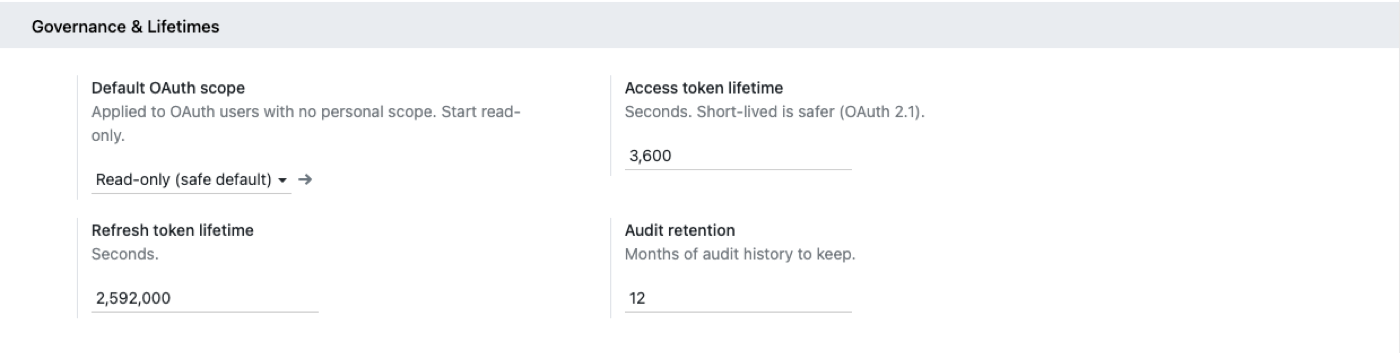
Short-lived tokens, long memory
Access tokens expire in an hour by default. Refresh tokens rotate on every use. Every call is one attributable audit row: user, tool, model, IP, duration.
Scopes, approvals, audit — not a shared token.
Same product, security-team angle: model scopes, rate limits, write approvals, token lifetime and the audit trail that attributes every AI call to a real user.
Governance walkthrough of the MCP controls layer. Watch on YouTube
Odoo MCP vs. a plain MCP connector
| Capability | Plain connector | Odoo MCP |
|---|---|---|
| OAuth 2.1 one-click connect | Sometimes | ✓ Built-in Authorization Server |
| Runs as the real user, no shared token | Often a shared admin token | ✓ Per-identity |
| Per-model scopes & method allow-lists | ✗ | ✓ |
| Human approval for writes | ✗ | ✓ |
| Full audit log + token/cost tracking | ✗ | ✓ |
| Rate limiting | ✗ | ✓ |
| External Python dependencies | Often | ✓ None |
$199. Once.
One-time purchase through the Odoo Apps Store, OPL-1 licence, works on Odoo 19 and 18, Community and Enterprise. No per-seat fee, no metered usage.
Buy on Odoo App StoreFAQ
Which AI clients are supported?
Any MCP client speaking Streamable HTTP — Claude, ChatGPT, Gemini, Cursor, Copilot, VS Code and more.
Do I need an extra server or proxy?
No. The MCP server runs inside Odoo with zero external Python dependencies.
Can the AI get admin rights?
Never. It operates as the connected user, bounded further by the governance scope — the scope can only narrow what that user could already do.
Can it change data?
Only if the scope allows writes — and you can require human approval for every one before it executes.
Is my data sent to train a model?
This module only exposes an endpoint; what your AI provider does with prompts is governed by your own agreement with them. Choose a read-only scope and blacklist sensitive fields to be conservative.
What happens after I try the demo?
If it's a fit, buy it on the Odoo Apps Store and install it on your own instance in minutes — or book a call and we'll deploy it for you.
Give your team an AI that respects your ERP.
Try it live in the next two minutes, no signup required.