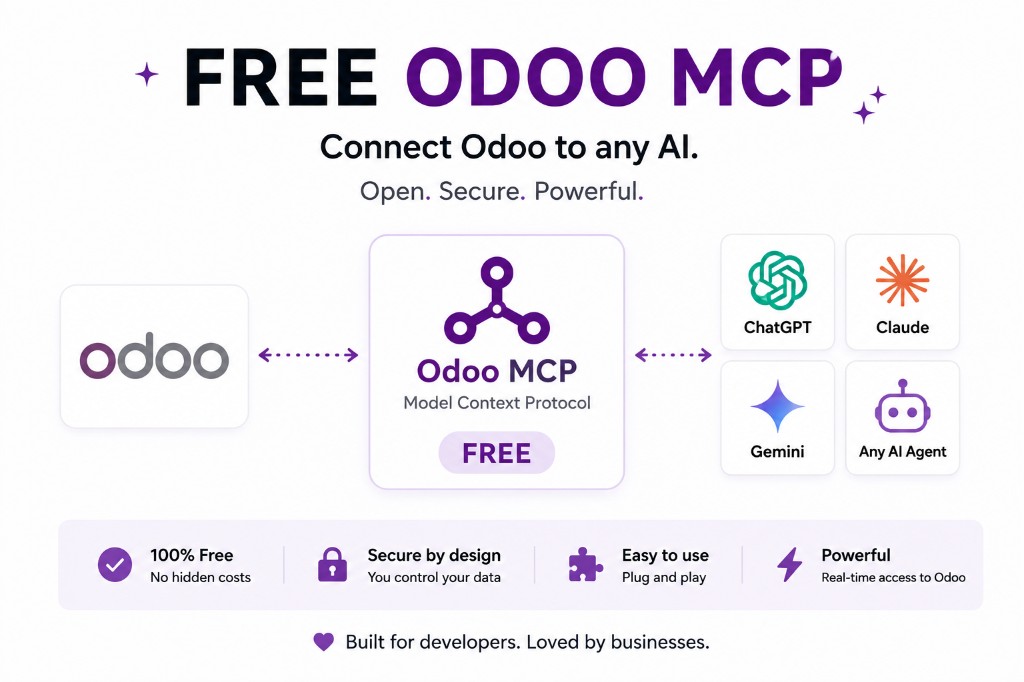
Free Odoo MCP: connect Odoo to ChatGPT, Claude, Gemini and MCP-compatible AI agents.
Ask live Odoo questions in ChatGPT, Claude or Gemini instead of exporting spreadsheets. An MCP server is the bridge. Start read-only. Not every ChatGPT plan, and not every Odoo Online plan, will let you do it.
What if you could ask your AI assistant:
- “Show me our top 20 customers by revenue this year.”
- “Which sales orders are still waiting to be invoiced?”
- “Find all products with low stock and summarise what needs attention.”
Instead of copying data from Odoo into ChatGPT, Claude or Gemini, an Odoo MCP server gives the AI a structured way to work with your Odoo environment.
That's what Free Odoo MCP is for. It connects Odoo with MCP-compatible clients — ChatGPT, Claude, Gemini, Cursor and other agents — so those tools can discover Odoo capabilities and use them when you ask.
What is Odoo MCP?
Odoo MCP means connecting Odoo to the Model Context Protocol (MCP). MCP is an open protocol that lets AI applications talk to external tools, services and data sources through a common interface — instead of a custom integration for every assistant. The longer definition is what is Odoo MCP?; the working guide is how to use MCP with Odoo.
In simple terms:
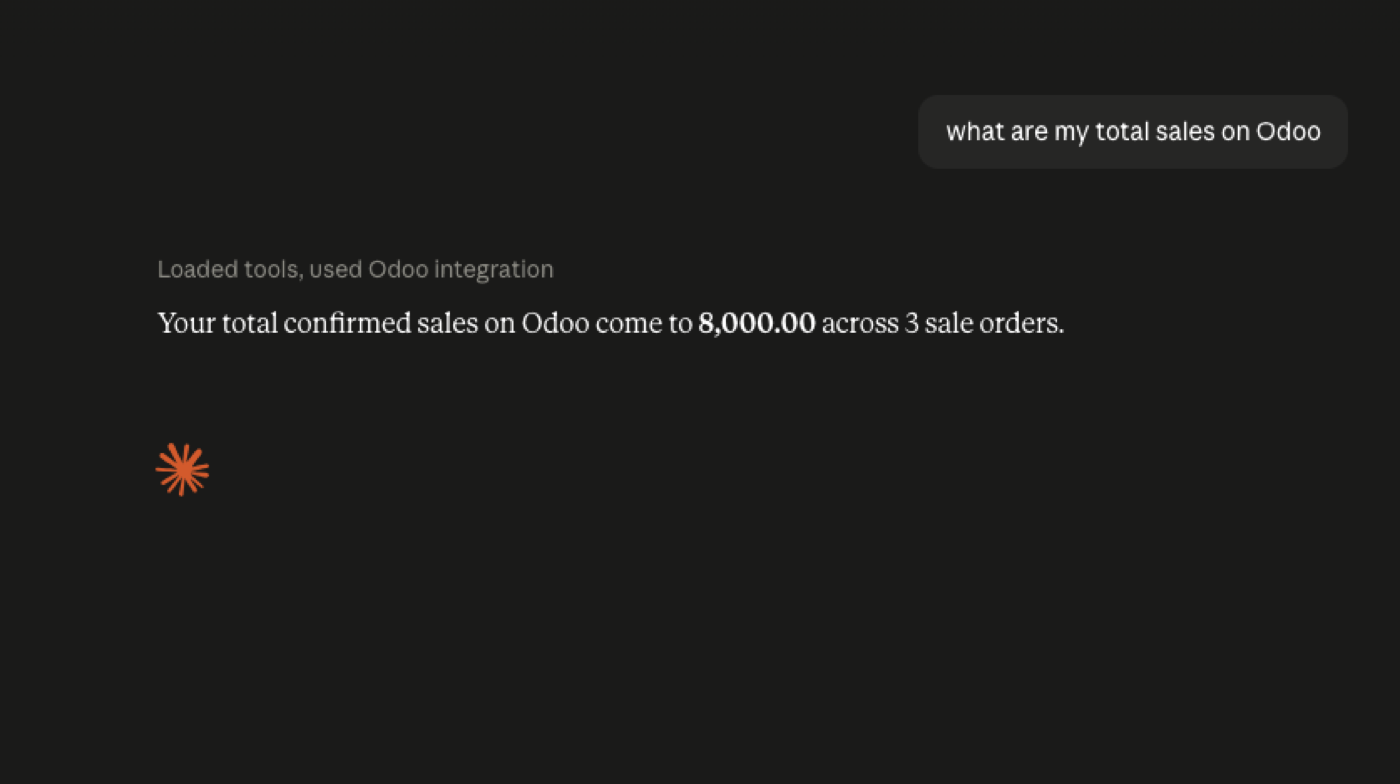
Odoo → MCP → AI assistant or AI agent
The assistant can then discover the available Odoo tools and use them when answering a request: search, read, and — if you allow it — create, update or delete records. Several open-source MCP servers already expose that surface over Odoo's APIs; ours runs inside Odoo so it does not need the Custom-plan external API. See what Odoo API access actually costs.
Why connect Odoo to AI?
Odoo already holds the business: customers, vendors, sales orders, invoices, products, inventory, CRM, purchases, employees, projects, accounting, manufacturing, helpdesk, website and eCommerce.
Getting a useful answer out of that usually means menus, filters, exports, SQL or a custom report. An AI agent changes the interaction. Instead of “where is that report?”, you ask “which customers generated the most revenue last quarter?” Instead of searching unpaid invoices by hand, you ask for invoices older than 60 days and get a summary.
That's why MCP interest is growing among Odoo developers, implementers and operators — reporting, automation, debugging and natural-language access without a new integration for every tool.
Free Odoo MCP works with your AI stack
You are not locked to one vendor. The same Odoo MCP layer can serve ChatGPT, Claude, Gemini, Cursor and other MCP-compatible clients — if that client actually supports the transport.
ChatGPT
Use ChatGPT as a natural-language interface to Odoo — plan limits are in OpenAI’s MCP apps docs. Example: “Summarise this month's sales pipeline and identify opportunities that haven't been contacted in the last 14 days.” How to connect Odoo to ChatGPT — and note that not every ChatGPT plan supports every MCP feature.
Claude
Claude is the client most technical Odoo users start with. Anthropic’s remote MCP connectors are the product surface. Give it structured MCP access instead of one-off exports and scripts. How to connect Odoo to Claude · Can Claude access Odoo?
Watch on YouTube · Open the live sandbox
Gemini
MCP-compatible Gemini tools and agents can use the same Odoo layer — Google documents remote MCP and allowed_tools — so you can change models without rebuilding the integration. How to connect Odoo to Gemini.
MCP-compatible AI agents
That's the point of MCP. You are not building “an Odoo chatbot for one vendor.” You are building an AI-access layer for Odoo — coding agents, internal assistants, Cursor and other MCP-compatible clients. How to connect an AI agent to Odoo · Can AI agents access Odoo?
What can an AI agent do with Odoo?
Exact tools depend on the MCP server and the permissions you grant. Common work:
1. Ask questions about the business
- “How much revenue did we generate this month?”
- “Who are our five largest customers?”
- “Which quotations haven't been followed up?”
- “How many products are below reorder level?”
- “Show open CRM opportunities over $10,000.”
The model turns that into structured queries against Odoo.
2. Analyse Odoo data
Not just a record dump. “Analyse our pipeline and tell me where we lose opportunities.” “Compare this month's sales with last month and explain the biggest changes.” That is more useful than a traditional chatbot glued to one screen.
3. Generate reports
Management summaries, sales and inventory snapshots, customer analysis, receivables, CRM, exception lists — asked in English rather than learned as Odoo report screens.
4. Find problems
Exception workflows: overdue invoices with open opportunities; products with declining sales and rising stock; orders with unusual delays. The agent can join models and explain what it found.
5. Automate repetitive work
With tightly scoped permissions, some MCP servers can create or update records, not only read them. Write access needs more care than read access. Start with AI proposes → human reviews → Odoo changes, not AI decides → Odoo changes immediately.
Is Odoo MCP safe?
MCP is not a permission system. Your Odoo rights still apply. The server acts as an authenticated Odoo user or API credential — treat that like any other powerful integration login.
- Start read-only. Read → analyse → report, before create → update → delete.
- Use a dedicated user. Not the administrator. Only the models the workflow needs. Several MCP implementations say the same: realistic Odoo groups, not admin.
- Test on staging. Connect a copy, try good prompts, bad prompts and edge cases, review the actions, then consider production.
- Keep writes gated. Approval, audit logs, restricted models, short-lived tokens.
Our product page is the governance detail: scopes, rate limits, write approval and an audit row per call. Watch the controls walkthrough or see the AI-agents industry setup.
Odoo MCP vs a traditional Odoo API integration
XML-RPC, JSON-RPC and Odoo 19's JSON-2 API are still the right tools for scheduled syncs and batch work. MCP does not replace them. It is an AI-facing layer on top. New MCP work on Odoo 19 should target JSON-2, not the deprecated RPCs.
A conventional integration says “call this endpoint with these parameters.” An MCP client can see the available tools and pick the one that matches the request. That is why it fits assistants, coding agents, natural-language reporting and internal copilots.
| Odoo API | Odoo MCP | |
|---|---|---|
| Built for | Software-to-software | AI assistants and agents |
| How you use it | Call a known endpoint | Agent discovers and chooses tools |
| Typical work | Syncs, batches, ETL | Questions, summaries, guided actions |
| Custom plan on Odoo Online? | Required for external API | Not if the server runs inside Odoo |
Full cost of the API gate: Odoo external API access.
Why use a free Odoo MCP?
You should not need another SaaS bill just to try AI against Odoo. Start small: connect an instance, give the agent limited rights, ask questions, then decide what becomes a production workflow.
You can try our server live on sample data with no signup. On an Odin deployment the module is included in the hosting fee. If you self-host, it is also on the Odoo Apps Store.
Community and Enterprise
Open MCP projects target both editions. Check the specific server against your Odoo version, Odoo Online vs Odoo.sh vs on-premise, API availability and authentication. Do not assume every server supports every deployment.
Odoo Online, Odoo.sh, or self-hosted?
Some MCP servers run outside Odoo and call the API. Others are Odoo modules. An external server may work without installing a module; a native module can go deeper and, in our case, avoid the Custom-plan API gate. Before you install anything, confirm version, hosting, whether the API is exposed, whether you need a public HTTPS MCP endpoint, and how auth works. Odoo MCP for Odoo Online · Is there a free Odoo MCP server?
Why MCP is interesting for Odoo developers
The old pattern is one integration per use case: a report feed, then a chatbot, then another assistant. MCP lets you expose one set of Odoo capabilities to every compatible client. Same underlying tools, different AI front-ends. That is why the ecosystem is moving quickly — different architectures, auth models and Odoo versions, same idea.
Get started with Free Odoo MCP
Your customers, sales, stock and invoices already live in Odoo. MCP is how the AI tools you already use can work with that data.
Start with a read-only connection, test it, then decide what should be allowed to write.
Try it live — no signup · Watch the Claude demo · Odoo MCP product · Book a call
Frequently asked questions
What is Odoo MCP?
Odoo MCP uses the Model Context Protocol so AI assistants and agents can interact with Odoo data and tools through a structured interface, instead of a one-off integration for each chatbot. Longer definition: What is Odoo MCP?.
Is Odoo MCP free?
You can try ours on the live sandbox with no signup. On an Odin deployment the module is included in hosting. Self-hosters can install it from the Odoo Apps Store. Your AI provider and hosting still bill as they normally do. What “free” covers.
Can I connect Odoo to ChatGPT?
Yes, if your ChatGPT environment supports the MCP transport your server uses. Check OpenAI’s MCP apps article. Walkthrough: connect Odoo to ChatGPT.
Can I connect Odoo to Claude?
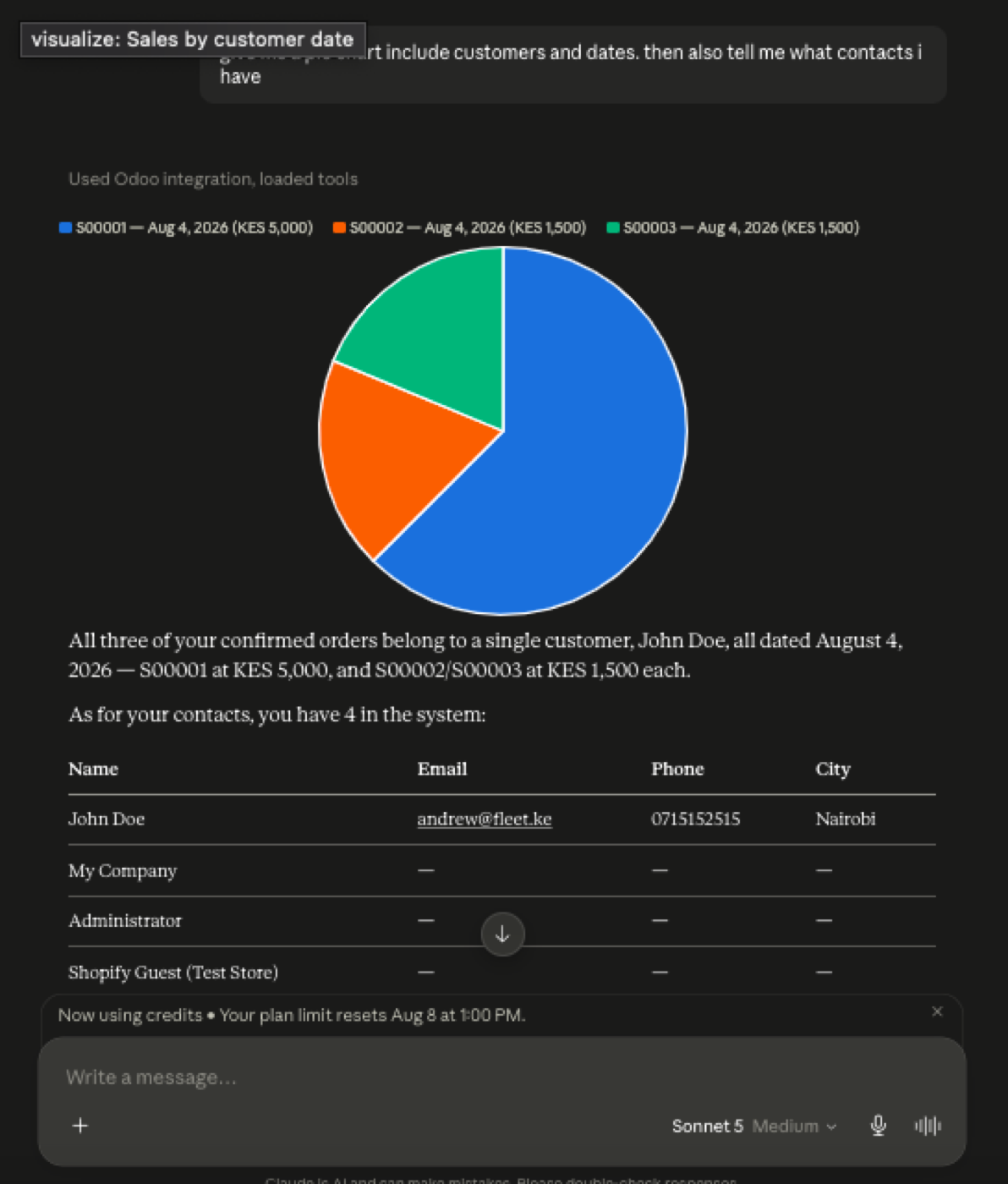
Yes. Claude is the client most Odoo MCP setups document first — Anthropic’s custom remote MCP connectors. The demo on this page is Claude querying live sample Odoo data. Connect Odoo to Claude.
Can I connect Odoo to Gemini?
MCP-compatible Gemini clients and agents can connect through the same server. Compatibility depends on the Gemini product and the MCP transport it supports (Streamable HTTP, allowed_tools). Connect Odoo to Gemini.
Can an AI agent write to Odoo?
Potentially yes — some servers expose create, update and delete. Restrict that, test it on a copy, and prefer human approval before production writes. Odoo MCP security.
Is Odoo MCP safe for production?
It can be. Safety is the implementation: least-privilege credentials, read-only first, protected tokens, logged operations, and approval for sensitive changes. MCP itself does not grant extra Odoo rights (Odoo security model).
Does Odoo MCP work with Odoo 19?
Several current servers, including ours, support Odoo 19. Some talk to the newer JSON-2 API; ours runs in-process on Community and Enterprise. Odoo MCP for Odoo 19.
Does Odoo MCP work with Odoo Online?
It depends on architecture. External servers that use supported APIs may work with hosted Odoo if the Custom-plan API is available. Module-based servers install on the instance. Odoo MCP for Odoo Online.
Do I need ChatGPT, Claude or Gemini specifically?
No. MCP is the standard. Any MCP-compatible AI agent can use the same Odoo tools, if it speaks the transport your server uses.
What is the difference between the Odoo API and Odoo MCP?
The Odoo API is programmatic access. MCP is an AI-oriented tool interface. An MCP server often uses Odoo APIs — or the ORM — underneath. MCP vs JSON-2.
Is MCP better than an Odoo API?
They are not competitors. Use the API for conventional integrations. Use MCP when an agent needs to discover and call Odoo tools from a prompt. How to use MCP with Odoo.
Keep going
Ask Odoo in plain language.
Try the sandbox, or we'll put MCP on your instance.