Do not buy an Odoo AI agent module until you choose where the agent should live.
Inside Odoo, outside in Claude or ChatGPT, or unattended in the background are three different products. Odoo 19 has a native AI app. Odoo 18 does not have the same native agent framework. MCP, third-party modules, and custom addons fill different gaps.
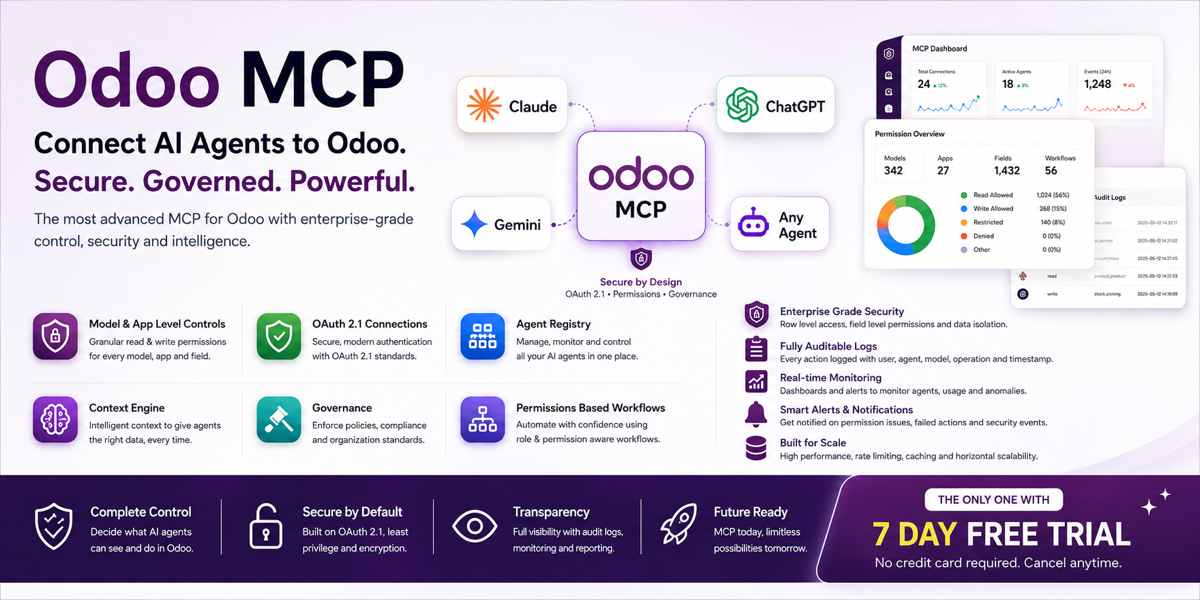
The short answer: use native Odoo 19 AI for assistants inside Odoo; use an MCP server when Claude, ChatGPT, or another external agent needs controlled Odoo tools; use a focused custom addon for unattended business workflows; consider a third-party copilot when it supports your Odoo version and its permissions, data path, and maintenance model survive review.
“AI agent module” is not one category. Apps with the same label may be a chat sidebar, an API wrapper, a collection of automated actions, a document classifier, or a broad ORM tool. Comparing them by screenshots or model logos guarantees a bad shortlist.
Match the module to the place work begins
| Architecture | Best when | Main question |
|---|---|---|
| Native Odoo 19 AI | Users ask and act inside Odoo | Which topics, sources, and tools should this Odoo user receive? |
| Third-party copilot module | You need provider choice, older-version support, or extra in-app capabilities | What leaves Odoo, what can write, and who maintains upgrades? |
| MCP server module | Claude, ChatGPT, Cursor, or another MCP client starts the work | Which named tools and permissions are exposed externally? |
| Focused custom addon | A scheduled or event-driven agent performs one operational job | Can a deterministic automation do this more safely? |
Native Odoo 19 AI is the default benchmark
Odoo 19 documents a native AI application with Ask AI, configurable agents, topics, tools, sources, default prompts, AI fields, AI live chat, and AI server actions. The standard Ask AI agent can open views and show reports but cannot alter records. Custom tools add actions.
That gives every third-party module a clear burden of proof. It should solve something native AI does not: support a required provider, run on another Odoo version, expose Odoo to an external agent, add stronger governance, deliver a specialized workflow, or provide a better operating model.
Native does not mean zero work. Sources still need owners. Tools still need restrictive schemas and business-rule checks. Provider API keys still have cost and data-handling implications. You still need tests. But if your users work inside Odoo 19, start by documenting the native gap before installing another 60,000 lines of code.
An Odoo 18 AI agent is not the Odoo 19 AI app backported by wishful thinking
Odoo 18’s official productivity documentation covers AI text generation and AI/OCR document digitization, while its website chatbot follows scripted steps. The native agent framework documented for 19—agents, topics, tools, sources, default prompts, and AI server actions—is not documented as an Odoo 18 feature.
For Odoo 18, your realistic choices are a third-party agent module, an MCP module that runs in Odoo, an external agent calling a supported API, a custom addon, or an upgrade to 19. Each choice moves cost to a different place. A backported copilot may be faster than an upgrade, but you now depend on that vendor for security fixes and the next Odoo migration.
Do not assume an Odoo 19 app can be installed on 18 because the screenshots look familiar. Check the exact Apps Store version, dependency list, license, hosting compatibility, and upgrade path. Also separate “supports Odoo 18” from “supports every 18 deployment.” Odoo Online, Odoo.sh, and on-premise do not permit the same custom-code options.
Choose MCP when the assistant lives outside Odoo
If the user starts in Claude, ChatGPT, Cursor, Slack, Teams, or an agent framework, native in-app AI is not the whole answer. The external client needs a controlled way to discover and call Odoo capabilities. MCP provides that tool interface.
A credible Odoo MCP module exposes business-shaped tools such as search customers, read invoices, or create a draft activity. It should not hand the model a generic “call any model and method” function with an administrator token. Evaluate authentication, user identity, read/write separation, model and method allowlists, approval, rate limiting, token lifetime, and audit logs.
MCP does not replace Odoo’s API or ORM. The server uses one underneath. It narrows and describes what an AI client can call. For Odoo 19 external integrations, JSON-2 is the current API; XML-RPC and JSON-RPC are deprecated and scheduled for removal in Odoo 22.
Choose a focused addon when nobody should be chatting
An invoice-chase agent that runs every Monday, an order-intake agent triggered by a PDF, or an exception watcher that reports negative margin may not need a chat interface. A focused addon can combine deterministic triggers, narrow model access, model-assisted classification, and explicit approval states.
Ask whether the model is necessary at each step. Selecting every invoice more than 30 days overdue is a domain filter. Interpreting a vague purchase-order PDF may require a model. Sending a legally sensitive reminder may require a human. The best agent architecture is usually mixed, not “AI all the way down.”
Focused addons are easier to measure. Track documents processed, drafts accepted, false positives, exceptions caught, time saved, and writes reversed. A general copilot often reports conversations instead of outcomes.
Twelve questions for any Odoo AI agent module vendor
- Which exact Odoo versions, editions, and hosting models are supported?
- Is the module a chat interface, an MCP server, an automation engine, or all three?
- Which AI providers receive data, and can we use our own API key?
- Which record fields are sent to the model for a typical request?
- Does every action execute as a named Odoo user with normal record rules?
- Can administrators allow read without create, update, delete, or method calls?
- Are write tools disabled by default and approval-gated separately?
- Can we restrict models, methods, companies, records, and sensitive fields?
- What audit evidence records the user, tool, arguments, result, and duration?
- How are prompt injection, malformed tool arguments, and provider outages handled?
- What happens during an Odoo upgrade, and how quickly are supported branches released?
- Can we uninstall the module cleanly and export its configuration and logs?
Ask for a live failure demo, not only a happy-path demo. Use a restricted user. Request a forbidden write. Switch company. Disconnect the provider. Send an invalid argument. A module’s value is visible in its refusal and recovery behavior.
A simple recommendation by version and interface
- Odoo 19, inside Odoo: evaluate native AI first; add custom tools only for named jobs.
- Odoo 19, external assistants: use a governed MCP layer and keep its tools narrow.
- Odoo 18: compare upgrade cost with a maintained third-party, MCP, or focused custom module.
- Unattended operations: build a focused workflow with deterministic controls and human approval at material steps.
- Multiple use cases: prefer several small agents over one module configured as an ERP administrator.
FAQ
Does Odoo 19 need a third-party AI agent module?
Not always. Odoo 19 has a native AI app. A third-party module should solve a specific gap such as external-client access, provider support, specialized governance, or a focused workflow.
Does Odoo 18 have native AI agents?
Odoo 18 documents AI text generation, document digitization, and scripted website chatbots, but not the native agent framework documented for Odoo 19.
Is an MCP server an Odoo AI agent?
It is the controlled tool layer between an external AI agent and Odoo. The client reasons; the MCP server exposes and governs Odoo actions.
Should an Odoo agent module use an admin account?
No. Use a named, least-privilege user and enforce Odoo ACLs, record rules, company scope, tool allowlists, and approval for sensitive writes.
Choose, configure, then test
Do not start from an empty agent screen.
Odin ships invoice chase, order intake, stock questions, approval nudges, and exception watching—and builds the missing workflow around your process.