Access Manager Pro vs. Odoo Studio: which one handles access rights?
Studio and Access Manager Pro get compared because they're both "no-code, click instead of code" tools inside Odoo. They're not built for the same job. Studio's job is building — new fields, new views, new automations, new apps. Access Manager Pro's job is governing who can reach what once those things exist.
Odoo Studio
Add fields, build custom views, design new apps, wire up automations — all from the browser, no code. It's Odoo's own tool for extending what the platform does, and it's genuinely good at that. Enterprise-only, and access control is a small corner of a much broader toolkit, not the focus.
Access Manager Pro
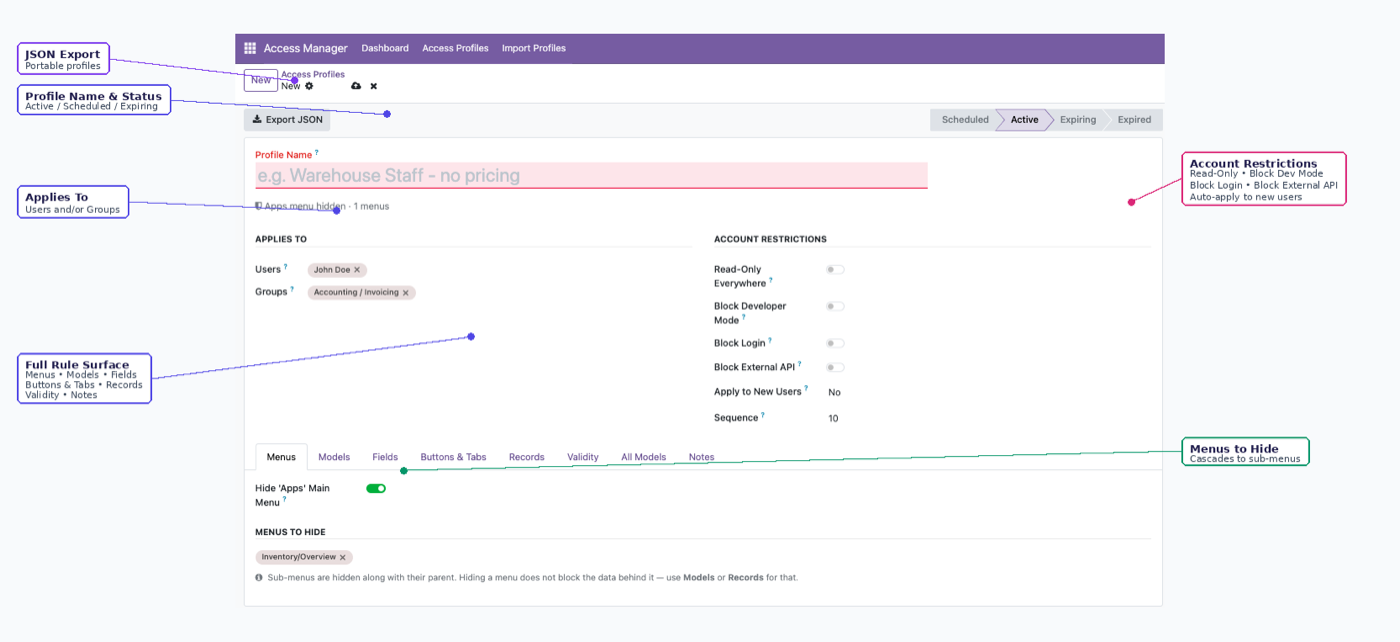
Doesn't add fields or build apps. Governs access to what already exists: nine model-level switches, six field states including masking, Access Profiles with auto-enrolment, time-boxed access, and enforcement that holds over the API — not just the screen. Community and Enterprise both.
Field visibility — the one real intersection.
| Odoo Studio | Access Manager Pro | |
|---|---|---|
| Add new fields / views / apps | Yes — its core job | Not what it's for |
| Hide a field per group (view-level) | Yes | Yes |
| Field states: masked, conditional, dropdown-restricted | Not built in | Yes |
| Model-level switches beyond CRUD (export, duplicate, reports) | Not built in | 9 switches |
| Time-boxed / expiring access | Not built in | Yes |
| Available on Community | Enterprise only | Yes |
A common, sensible split: use Studio to build the custom field or app you need, then use Access Manager Pro to decide who can see it, edit it, export it, or reach it at all — including, per our earlier point, from every path that isn't the field's original view. See record rules without code for how the two fit together on a real workflow.
The rest of the cluster
Before you set it up
Do I need both?
Plenty of teams do — Studio for building out custom fields, views, and automations; Access Manager Pro for governing who can see and touch what once those fields exist. They solve different problems and don't conflict.
Can Studio do field-level permissions at all?
You can attach a groups attribute to a field from Studio's view editor, which hides it in that view. It's the same view-level mechanism available anywhere else in Odoo — not a dedicated permissions layer with states like masking or conditional visibility.
Is this page just marketing?
We've tried to keep it to what each tool is actually built for. If Studio's broader app-building toolkit is what you need, it's a genuinely good fit for that job — access rights specifically just aren't its focus.
Ready to lock this down?
Try it on the live sandbox first — nothing to install.