How to build Odoo record rules without writing code
Set the condition from Access Manager Pro's record-rule interface — "own records only," "own + subordinates," a specific company, a date range — and it compiles to the same domain-based rule Odoo evaluates natively. No XML, no developer, and for the rare case a preset doesn't cover, a raw XPath field is there as the fallback rather than a hard wall.
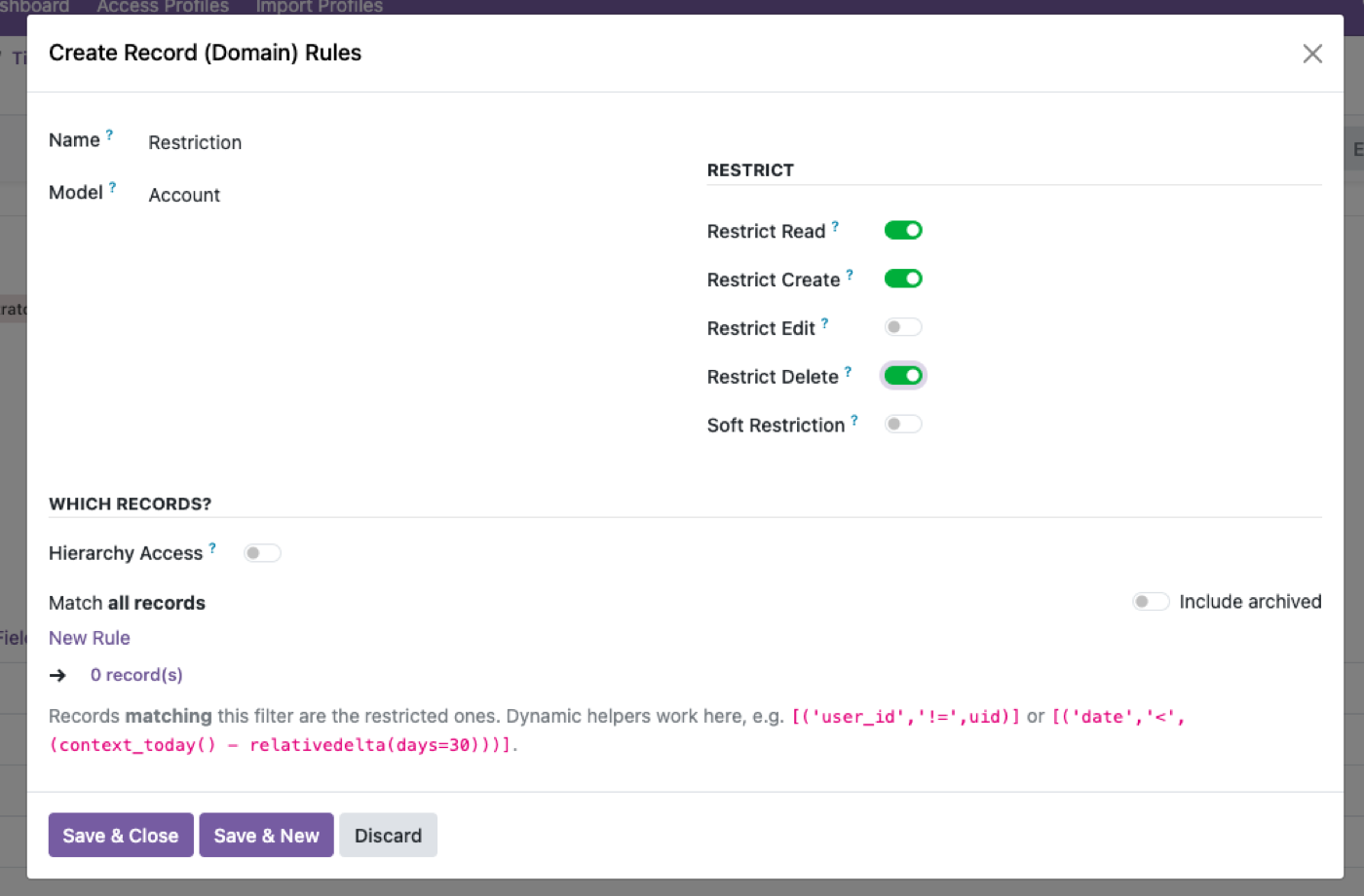
Pick the model and the condition type
Own records, manager-chain, company-scoped, or a custom field comparison.
Assign it to an Access Profile
The same profile that already carries the model and field rules for that group.
Drop into XPath only if you need to
For a genuinely unusual business rule the presets don't name.
This is the same philosophy behind Odin's AI app builder — configure real Odoo behavior by describing what you need, not by writing the XML yourself.
A record rule is a domain Odoo evaluates on every read and write
Native ir.rule rows are domains: [('user_id','=',user.id)], company_id, a parent-child manager chain. They are record rules, not filters. A filter hides rows in one list; a rule makes the rows not exist for that user in lists, pivots, graphs, and the API.
Writing them in XML is why most teams never add the third one they need. Access Manager Pro compiles the usual scopes — own, own + subordinates, company, field match — into the same domain Odoo already understands. Raw domain is the escape hatch, not the default.
Record rules do not replace model rights
A user with no read on sale.order will not see orders, rule or not. A user with full sales rights and no rule sees everyone’s pipeline. The profile should carry both: model switches plus a row scope. Restrict user access to records is the how-to for choosing the scope.
Global rules versus group-specific rules is the native footgun. A global rule that is slightly wrong locks the whole company. Keep experiments on a named profile, on staging, with an admin who is exempt.
The pivot test
Open a pivot or graph as the restricted user. If the total still includes other people’s documents, you applied a filter or a domain on one action, not a record rule. Multi-company is the usual place this shows up — multi-company access control.
Also test write: can they change a record they cannot see in the list if they guess the URL? They should not. That is the difference between a menu hide and a rule.
The rest of the cluster
Before you set it up
Do I need XML to write a record rule?
Native Odoo expects a domain on ir.rule — often XML or a developer. The same record rules can be compiled from a UI if the tool writes that domain for you.
What should I start with?
Own records, own + subordinates, or one company. Custom domains come later. Restrict user access to records.
Do record rules apply in pivot views?
They should — that is the point of a real record rule versus a filter. Multi-company access is the usual test.
Ready to lock this down?
Try it on the live sandbox first — nothing to install.