Odoo can be your wholesale PIM—until enrichment becomes a department.
Odoo already owns the SKU, variant, barcode, pack size, supplier, stock, cost, customer price, and order. For many distributors, making it the product master removes a second database. But if dozens of teams enrich thousands of attributes for many marketplaces, a dedicated PIM may still be the honest answer.
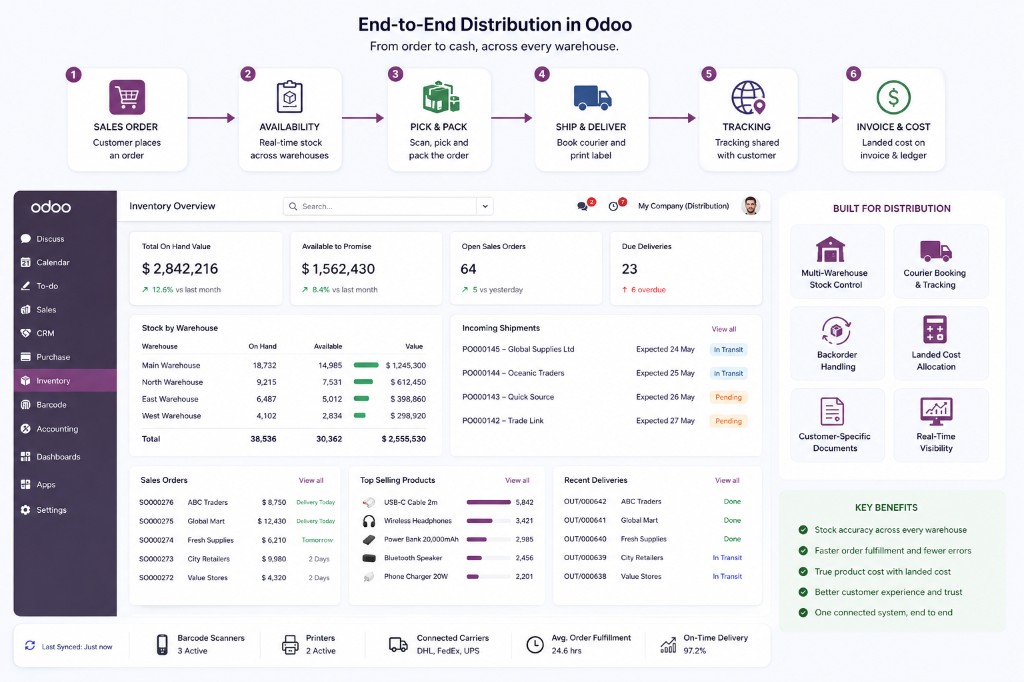
The direct answer: Odoo is enough as a PIM when operational product data and commercial content share one owner, the channel count is manageable, and approval/enrichment workflows are simple. Add a dedicated PIM when catalog governance, digital assets, localization, channel-specific rules, and supplier enrichment become more complex than sales and inventory.
Do not begin with a software category. Begin with the product record that must remain correct from supplier file to warehouse scan to customer invoice.
A product database is not automatically a product-information process
A PIM centralizes product information, controls who enriches it, measures completeness, and publishes the right version to each channel. In wholesale, that includes more than marketing copy: supplier references, GTIN/barcodes, case and pallet quantities, units of measure, hazardous or regulated attributes, customer-specific descriptions, contract prices, and channel mappings.
Odoo’s advantage is proximity to execution. The same product drives quotations, purchase orders, stock moves, manufacturing, eCommerce, and accounting. Its weakness is that complex enrichment governance and broad marketplace syndication are not its core product.
The wholesale product master is already in Odoo
| Product-information job | Odoo capability | Wholesale use |
|---|---|---|
| SKU and variants | Product templates, attributes, variant records | Size, color, grade, voltage, region, or finish |
| Identifiers | Internal reference, barcode, supplier references | Scan, buy, sell, and reconcile the same item |
| Pack sizes | Units of measure and product packaging | Each, inner, case, pallet, purchase pack |
| Pricing | Customer pricelists, minimum quantities, date rules, variant rules | Contract pricing and volume breaks |
| Content | Sales/purchase descriptions, eCommerce copy, images and media, translations | Different operational and customer-facing text |
| Availability | Warehouses, stock, routes, replenishment | Publish sellable stock and lead time |
| Bulk loading | XLSX/CSV imports with external IDs and images | Supplier onboarding and catalog updates |
Odoo’s variant documentation confirms that inventory is counted per variant and pricelist rules can target templates or variants. That is operational master-data behavior, not merely a website catalog.
Model “each, case, pallet” before importing 40,000 SKUs
Wholesale catalogs fail when a “case” is treated as free text. Odoo 19’s packaging documentation allows packaging quantities and barcodes; scanning a packaging barcode can add the contained quantity. Units of measure define conversions within compatible categories.
Decide which level is a stocked product variant and which is packaging. If a case has its own price, barcode, dimensions, customer demand, and stock position, model it deliberately. If it is only twelve units scanned together, packaging may be enough. Do not create duplicate product templates for every carton unless the business truly buys, stocks, and sells them as different items.
A PIM that ignores customer price is incomplete for distribution
Odoo pricelists can apply by customer, category, product, variant, currency, period, and minimum quantity. The official pricing documentation explicitly includes minimum-quantity rules.
Keep the public/base price separate from contract pricing. Assign the correct pricelist to the customer. Define who may override it. Test the same SKU at one unit, one case, and a volume break. The best product description in the world does not rescue a wholesale portal showing the wrong contract price.
Supplier spreadsheets need identifiers, not heroic matching
Odoo’s product import guide supplies a product template and supports categories, attributes, and variants. General import documentation supports external IDs and image files.
- Create a stable external ID or supplier-item key. Product names are not keys.
- Import related records first. Categories, brands, attributes, vendors, and units need reliable references.
- Validate before write. Reject unknown units, duplicate GTINs, invalid pack quantities, and missing required attributes.
- Use upsert rules. Decide which source owns each field and whether blanks clear existing values.
- Log every batch. File, source, row, product, changes, errors, and rollback path.
For recurring supplier feeds, move beyond manual CSV: use a staging model or integration service that validates and proposes changes before updating production products.
One Odoo product does not mean one description everywhere
Sales staff, a B2B portal, Shopify, a printed catalog, and a marketplace may need different titles, bullets, image order, taxonomies, and restrictions. Odoo eCommerce supports product media, translations, website categories, packagings, cross-sell, and visibility. A connector can map those fields to a channel.
When channel rules remain modest, keep Odoo as master and put explicit mappings in each connector. When every channel has hundreds of mandatory attributes, separate completeness rules, digital-asset renditions, and a merchandising team, a dedicated PIM becomes easier to govern.
Signs you need a dedicated PIM
- Dozens of contributors with staged enrichment, approval, and legal review.
- Attribute-completeness scores by product family and destination channel.
- A digital-asset-management workflow with rights, renditions, expiry, and regional rules.
- Large-scale supplier portals and data pools such as GS1/GDSN.
- Many marketplaces with different taxonomies and mandatory attributes.
- Product content must publish independently of ERP release and operational data.
In that architecture, choose one master per field. The PIM may own enriched content and channel taxonomy; Odoo should usually retain stock, cost, supplier, price execution, and order fulfillment. Synchronize by immutable product/variant identifiers, not names.
Shared by default is a design decision
Odoo’s multi-company documentation says products are shared across companies by default and can be restricted by setting the Company field. That is useful for a common group catalog and dangerous when legal entities require isolated assortments or content.
Write the rule for each product family: globally shared, company-specific, or shared template with company-dependent commercial values. Test with real non-admin users in each allowed-company combination.
Odoo-only, Odoo plus connector, or Odoo plus PIM?
| Architecture | Choose it when |
|---|---|
| Odoo only | One main catalog team, limited channels, simple approvals, operational accuracy matters most |
| Odoo + channel connectors | Odoo is the master; each channel needs predictable mappings and sync monitoring |
| Dedicated PIM + Odoo | Enrichment, governance, assets, supplier onboarding, and syndication are large disciplines of their own |
Run a catalog workshop with twenty representative products: simple SKU, many variants, regulated item, configurable kit, multiple pack sizes, private-label item, and channel-specific product. If the model survives those, then scale the import.
FAQ
Can Odoo be used as a PIM?
Yes, particularly when Odoo is already the product, inventory, pricing, purchasing, and order master and enrichment workflows are moderate. It is not a replacement for every enterprise PIM use case.
Is Odoo suitable for wholesale product catalogs?
Yes. Odoo supports variants, barcodes, packaging, units, customer pricelists, minimum quantities, supplier data, images, translations, inventory, and eCommerce. The implementation must define ownership and identifiers carefully.
When should a wholesaler add a dedicated PIM?
Add one when enrichment approvals, digital-asset governance, supplier onboarding, completeness scoring, localization, or marketplace syndication become major processes independent of ERP operations.
Make one product survive the whole order-to-cash path
Start with twenty difficult products, not forty thousand easy rows.
We design the model, ownership rules, imports, and channel mappings before bulk load.