Two-way sync that shows its work.
Products, stock, prices, customers, orders, fulfillments, refunds and payouts — synced both ways over Shopify's GraphQL Admin API. Webhook-driven inbound, queued outbound, and a conflict policy you choose instead of one the connector assumes for you.
The 80% is the same everywhere. This is the other 20%.
Every Shopify connector syncs products and orders on a good day. What separates them is what happens on a bad one — and bad days are guaranteed, because you're integrating two systems across a network you don't control, with a platform that rate-limits you.
You choose the conflict policy.
When the same product is edited in both systems, someone has to decide which wins. Most connectors decide for you, quietly. Here you pick — Odoo wins, Shopify wins, or newest edit wins — per entity, and the decision is written to the Conflict Log. Never silent, always inspectable.
Nothing is silently dropped.
An order line that can't be matched to a product, a currency with no pricelist — it still lands, on a fallback, with the reason logged in the Mismatch Log. The alternative is a failed sync and an order you find out about from the customer. Detail: Shopify orders not syncing to Odoo.
Delivered orders are never edited behind your back.
Un-delivered quantity changes apply automatically. Anything touching a delivered line creates a review activity for a human. That's the difference between a connector that's convenient and one your finance team trusts.
Refunds land as a draft credit note.
Nothing posts to your accounts automatically. Ever. More on import behaviour: how Shopify orders sync into Odoo.
Don't take our word for it. Try it.
Connect a test store, run a backfill, watch a conflict get resolved and logged — all before you've paid anything. Nothing to sign up for.
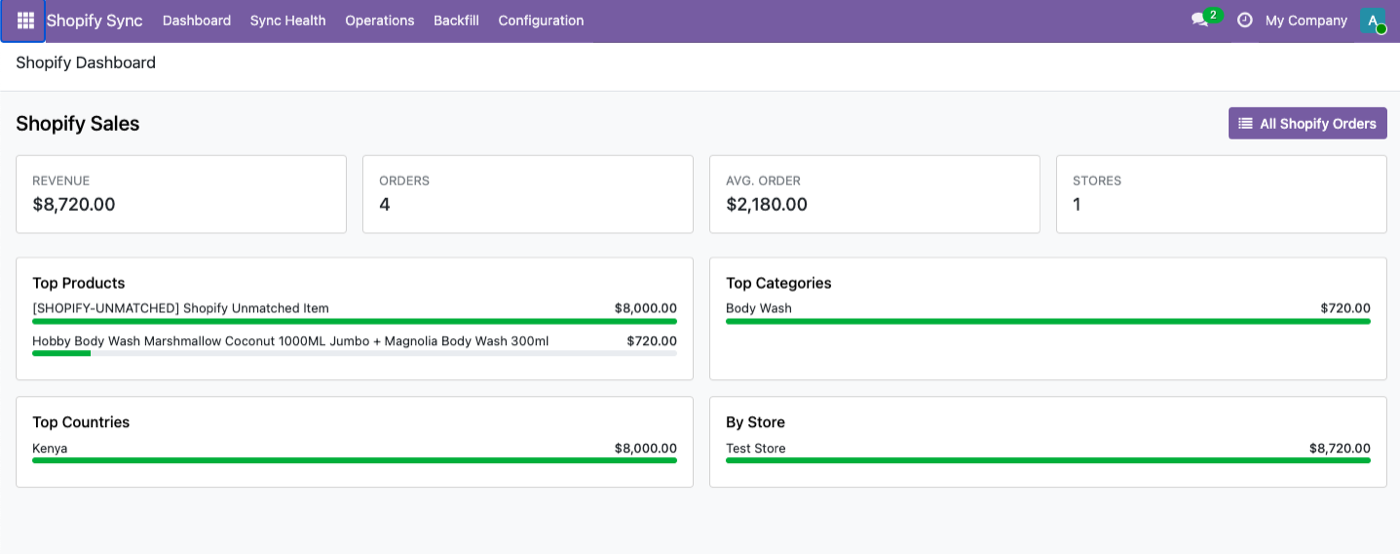
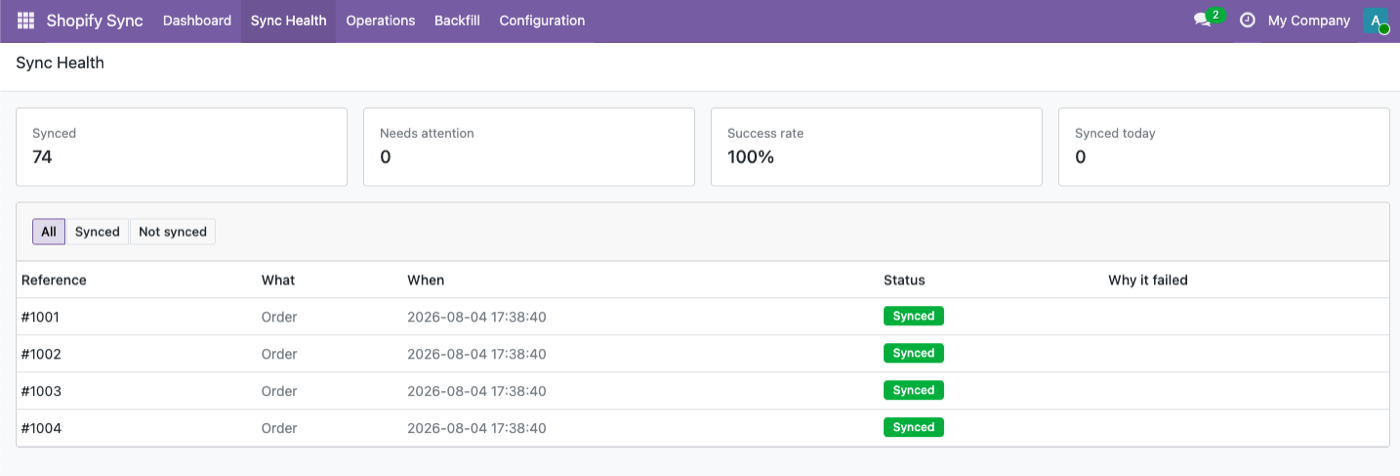
Everything two-way, nothing hand-waved
The easy 80% is the same on every connector. This is what happens once Shopify starts misbehaving.
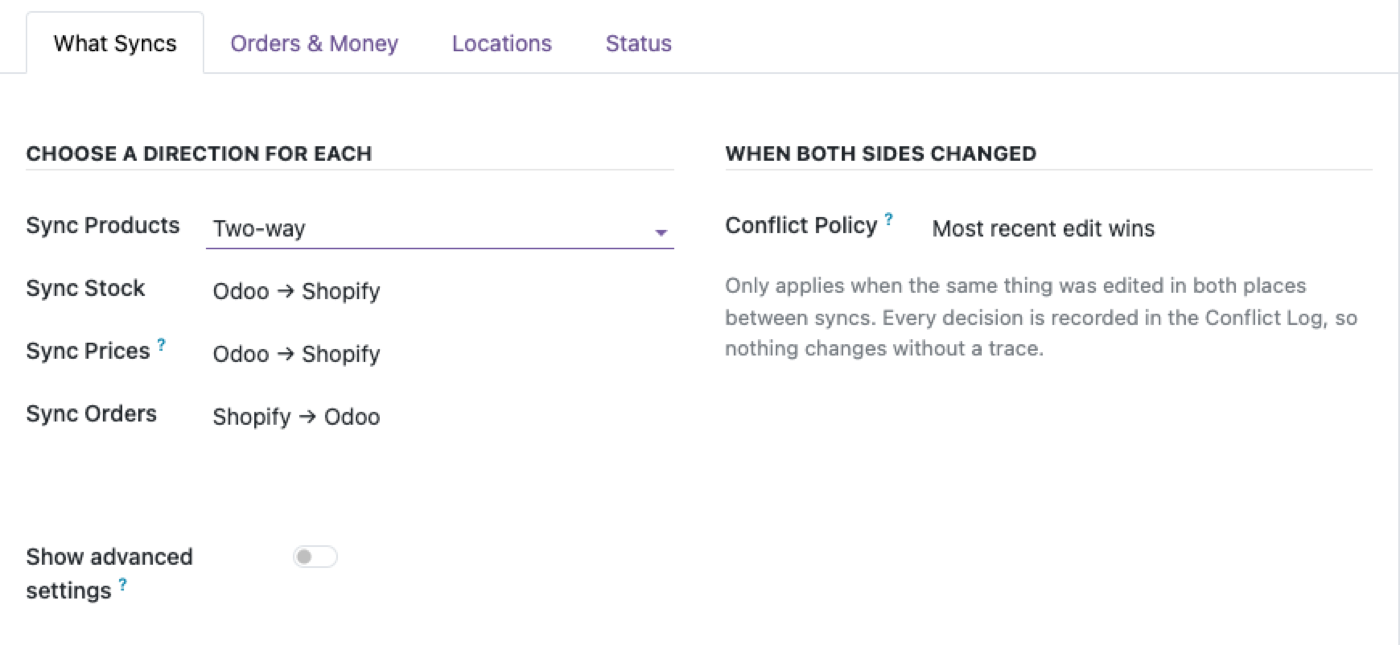
You choose what syncs, and which way
Pick a direction for each entity, and a conflict policy for when both sides disagree — Odoo wins, Shopify wins, or newest edit wins. Nothing decided behind the scenes. Deep dive: Odoo Shopify product and inventory sync.
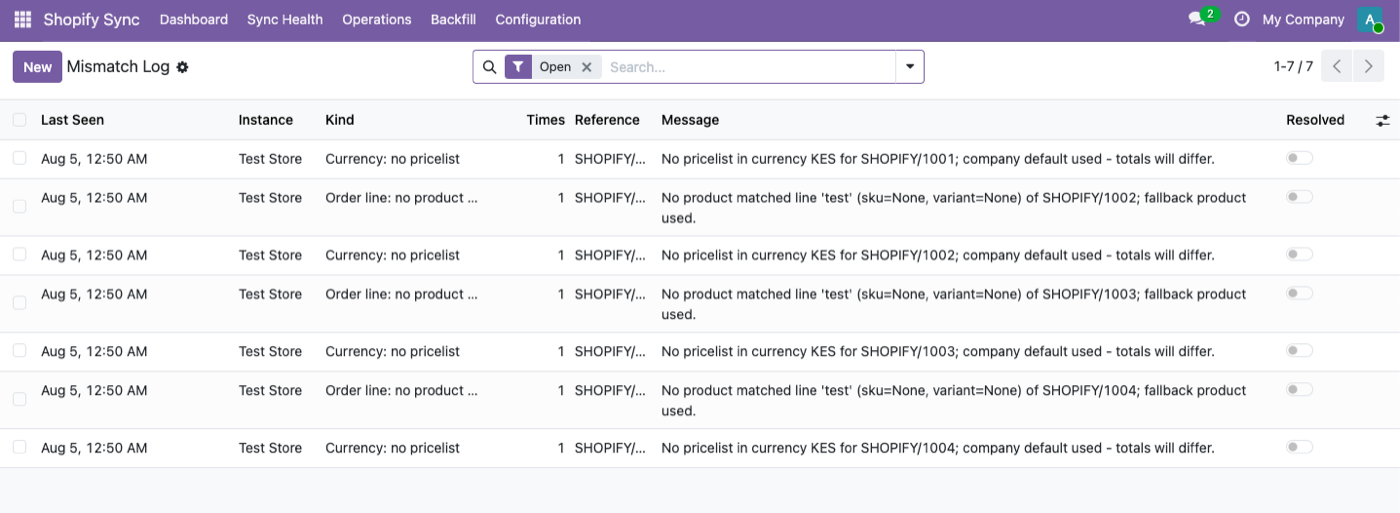
Nothing silently dropped
An order line that can't be matched to a product, or a currency with no pricelist — it still lands, with a fallback and a logged reason, instead of a failed sync. If something still goes missing: Shopify orders not syncing to Odoo.
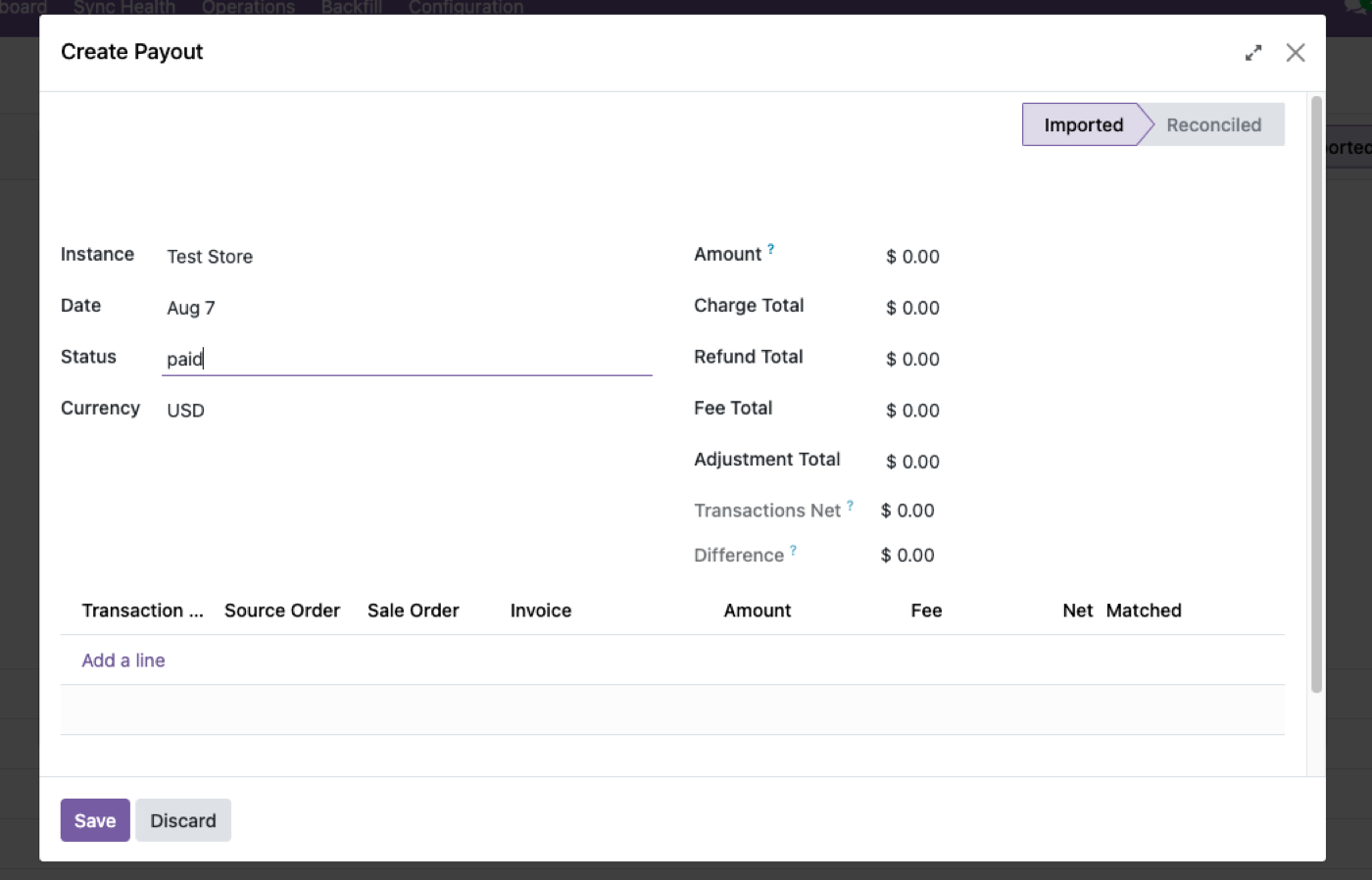
Payouts, reconciled
Shopify payouts land as their own record — charges, refunds, fees and adjustments broken out, matched line by line to the orders and invoices behind them. Detail: Shopify payout reconciliation in Odoo.
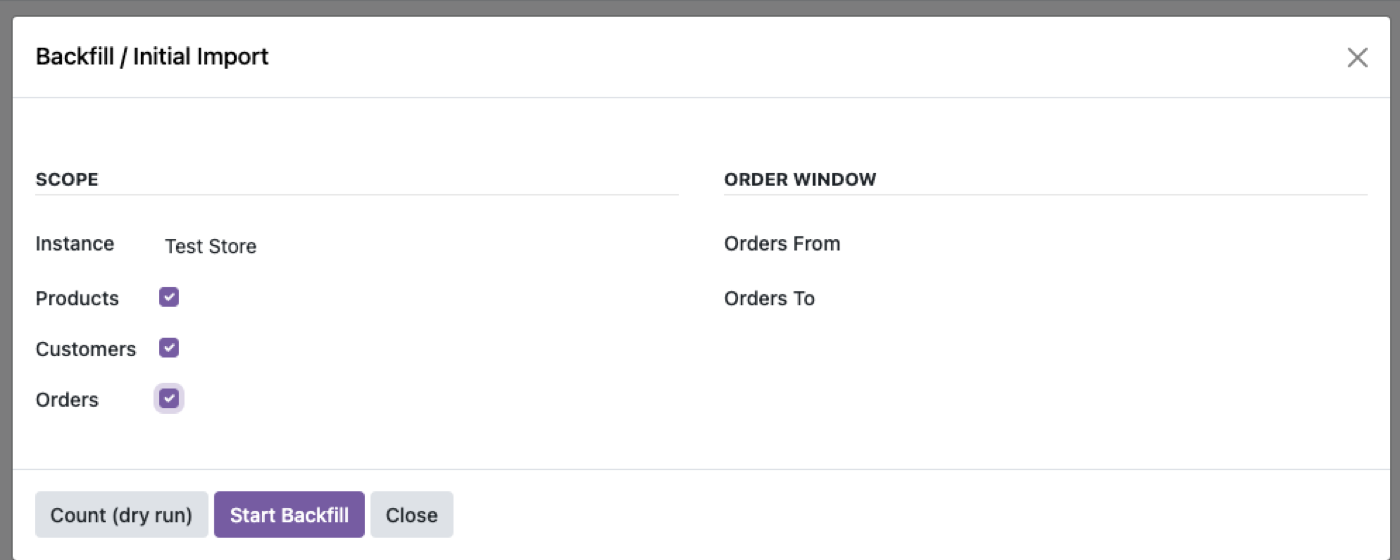
Import what's already there
Count first, then bring years of history across. Resumable — survives a worker restart, 10,000-SKU catalogs welcome.
What syncs, in which direction
| Entity | Direction | Highlights |
|---|---|---|
| Products | Two-way | Multi-variant, images, status, SKU, barcode, weight, HS code |
| Prices | Export | Pricelist per store, optional compare-at mapping |
| Inventory | Export (two-way optional) | Multi-location, Shopify locations ↔ Odoo warehouses |
| Customers | Import | Email dedup, address hierarchy. Consent never leaves Shopify. See how Shopify orders sync into Odoo. |
| Orders | Import | Tax policy, discounts, carrier mapping, fraud flagging — how Shopify orders sync into Odoo |
| Fulfillments | Export | Modern FulfillmentOrders API, partial shipments |
| Refunds | Import | Draft credit note — nothing auto-posts |
| Payouts | Import | Shopify Payments only. Matched to source order & invoice |
Built on the GraphQL Admin API
Shopify moved the REST Admin API to legacy status in October 2024, and since April 2025 every new public app has to be built on the GraphQL Admin API. This connector is.
Practically, that matters for two reasons. GraphQL is the only Shopify API still receiving new features, so capabilities that ship on Shopify's side become available here rather than requiring a rewrite. And cost-based rate limiting behaves differently from REST's request counting, which is why the sync queue is built around it rather than bolted on afterwards.
What we won't claim: Shopify has not announced a shutdown date for the REST Admin API. Anyone telling you REST is being switched off on a specific date is guessing. The accurate statement is that it's legacy, closed to new apps, and frozen — which is reason enough.
The architecture in one line: webhook-driven inbound, queued GraphQL outbound, running entirely inside your Odoo. No middleware, no CDN, no phone-home. Evaluating options? Start with how to choose an Odoo Shopify connector.
$349. Once.
Buy it once — $349 on the Odoo Apps Store. OPL-1 licence, Odoo 19, Community and Enterprise. No per-order fee, no metered usage.
Buy on Odoo App StoreOr get it free.
Every module we've built is installed at no extra cost on an Odin deployment — from $150/month for up to 25 people, unlimited users at $450. That includes this connector, the Odoo MCP server, Access Manager Pro and five more, plus hosting, backups, upgrades and the AI module builder.
See Odin pricingIf you're happy with where your Odoo runs, buy the module. If you're paying a partner per user, run the second number first.
FAQ
Which Shopify plan do I need?
Any plan that supports custom app installs. Connecting a store is OAuth — click Connect, approve on Shopify's own screen, no tokens to copy.
What happens when the same product is edited in both systems?
Your chosen conflict policy decides, and the decision is written to the Conflict Log — never silent.
Will imported order totals match Shopify?
In "Shopify amounts win" mode, to the cent. In "Odoo computes" mode your fiscal positions rule and Shopify's tax lines are archived in a note.
Does it modify delivered orders when Shopify edits them?
Never silently. Un-delivered quantity changes are applied; anything touching delivered lines creates a review activity for a human.
Can I run more than one store?
Yes — each store is an independent binding with its own sync directions, conflict policy and company.
What happens after I try the demo?
If it's a fit, buy it on the Odoo Apps Store and connect your real store — or book a call and we'll set it up for you.
Stop reconciling Shopify by hand.
Try it live in the next two minutes, no signup required.