How to disable the export button in Odoo for certain users
Turn off the Export switch on the model for that Access Profile. Native Odoo bundles export into general read access — there's no separate toggle — so someone who can view a list can normally export it too, unless the switches are split apart.
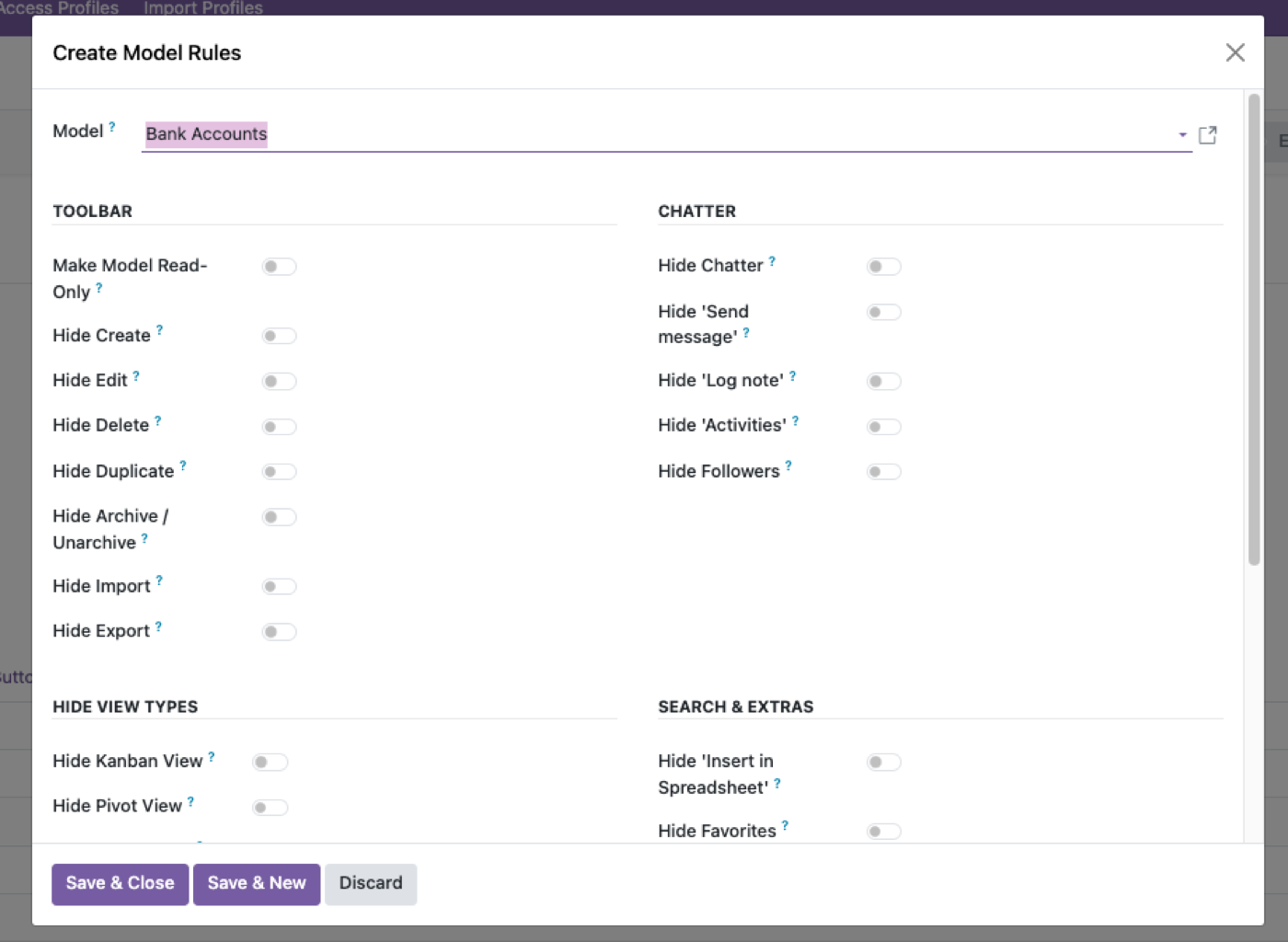
Open Model Permissions for the model
Sales orders, contacts, invoices — any model with the export button visible.
Turn off Export for the profile
Read, Views and Reports stay on — only the export path is closed.
Check the API too
Export restrictions apply to XML-RPC/JSON-RPC pulls as well, not just the UI button.
Hiding Export is not the same as turning off read
Native Odoo treats export as a convenience of being able to read the list. Anyone who can see sales orders can usually dump them to xlsx. That is the opposite of how finance and HR think about “view vs take the data home.” Split Export from Read. Access Manager Pro does that as its own model switch.
Even then, the external API is another dump path. If the user has an API key, search_read is an export. Disable API access for that profile, or do not give them a key. Authorization in Odoo.
Reports are a third exit
A user who cannot press Export can still print a report or open a pivot that contains the same columns. Treat Views, Reports and Export as separate exits when the data is personal or commercially sensitive. Payroll and costing are the usual examples.
Test as that user: list view, export button, report print, pivot, API. Four doors. The button is one.
Who should keep Export
Controllers, ops leads, and people who feed a data warehouse often need it. Shop-floor and inside sales usually do not. Do not turn Export off globally and then grant Administrator to the one person who needed a spreadsheet — you just gave them unlink and settings.
If the real need is a scheduled extract, that is an integration user with a tight record rule, not everyone’s Export button. MCP bot users should almost never have Export in the UI either; they should have named read tools.
The rest of the cluster
Before you set it up
Does hiding the Export button stop data leaving Odoo?
No. Native read access still allows RPC/JSON-2 pulls unless you split Export from Read. External API uses the same user rights. Authorization in Odoo.
Can I turn off Export but keep list views?
Yes, if Export is its own switch. Native Odoo bundles export into general read — that is the gap.
Does this apply to reports too?
Reports are a separate path. Treat Views, Reports and Export as different exits. Nine model switches.
Ready to lock this down?
Try it on the live sandbox first — nothing to install.