Odoo MCP security.
Odoo holds finance, customers, employees and suppliers. Design the MCP architecture as if the key will leak — because someday a key might.
Connecting an agent to an ERP is not the same as connecting it to a public website. Design six controls in from day one.
1. Dedicated Odoo user
Odoo recommends bot users for extended automated API use. The access log should name that user.
2. Minimum permissions
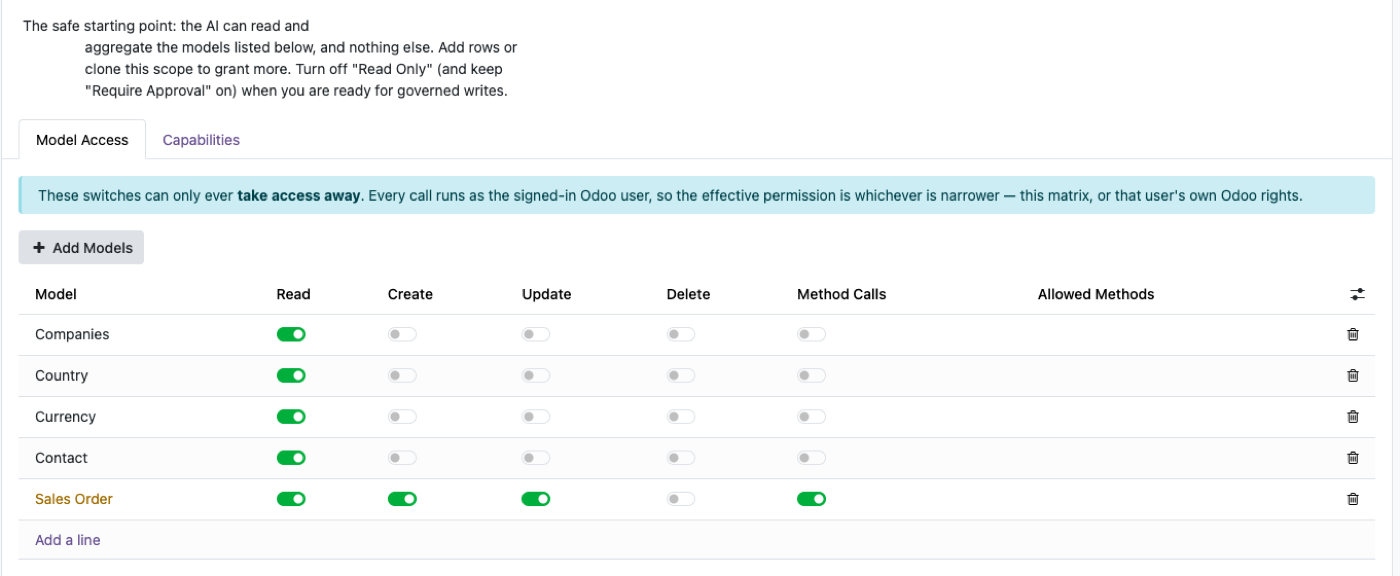
Sales-only agents do not get unrestricted accounting. JSON-2 still applies record rules and field access.
3. Split read and write tools
READ: search_customer, get_order, search_invoice. WRITE: create_activity, update_customer, create_order — off until proven.
4. Protect API keys
Not in prompts, GitHub, or chat. JSON-2 authentication covers rotation and the three-month cap.
5. Log AI activity
Which client, which initiating user, which records, what changed, when. Our product keeps an audit row per call; whatever you run, require the same idea.
6. Start read-only
See, then change. OpenAI and Anthropic both warn about untrusted MCP servers and over-broad permissions. Governance on the product page.
The model is a confused deputy, not a hacker in a hoodie
The realistic failure is not that Claude “breaks encryption.” It is that you gave a chat UI a tool that can confirm quotations, someone pastes a malicious instruction into an email the agent reads, and the agent calls the tool. MCP servers are deputies with your keys.
Controls that matter: a non-admin user, a short tool list, writes separated and approved, keys not in the prompt, logs you actually read. Protocol choice (JSON-2 vs ORM) does not save you if the user is admin.
Prompt injection via untrusted MCP servers is documented by the client vendors. Run your own server or review the vendor like a payment processor.
Reuse record rules; do not invent a second ACL
If field-level security and record rules are correct for humans, they are the right first filter for agents. Do not compensate for a messy ACL with a long system prompt. Fix the groups. Companion reading: field-level security.
Multi-company: the bot should be in the companies the agent is allowed to talk about, not in every company “so demos work.”
Export, uninstall, Settings, and Settings-like models stay off the tool list even if the user could open them in a browser. Agents do not need a Settings app.
Official documentation
FAQ
What is the first control?
A dedicated Odoo user with the minimum groups the tools need. Not administrator. Odoo’s security model still applies to that user.
Should read and write be the same tools?
No. Publish search/get first. Add create/update only when you can name the workflow and the approver.
Where do API keys go?
In the MCP server's secret store. Never in prompts, git, or tickets. Rotate within the three-month max in the API key docs.
What should production logs show?
Which tool, which Odoo user, which records, whether anything changed, and when.
JSON-2, MCP and clients
Start read-only. Ask a real question.
Sandbox on sample data, or we put MCP on your instance.