Odoo restrict menu access: hiding the menu isn't restricting the model.
The most common way businesses "restrict" a module in Odoo is removing the menu item — Settings, a group's groups attribute on a menu record, done. It feels like access control. It behaves like interior decorating. The menu is the door. The model behind it is the room. Odoo's native tools are very good at hiding the door. They don't, by themselves, lock the room.
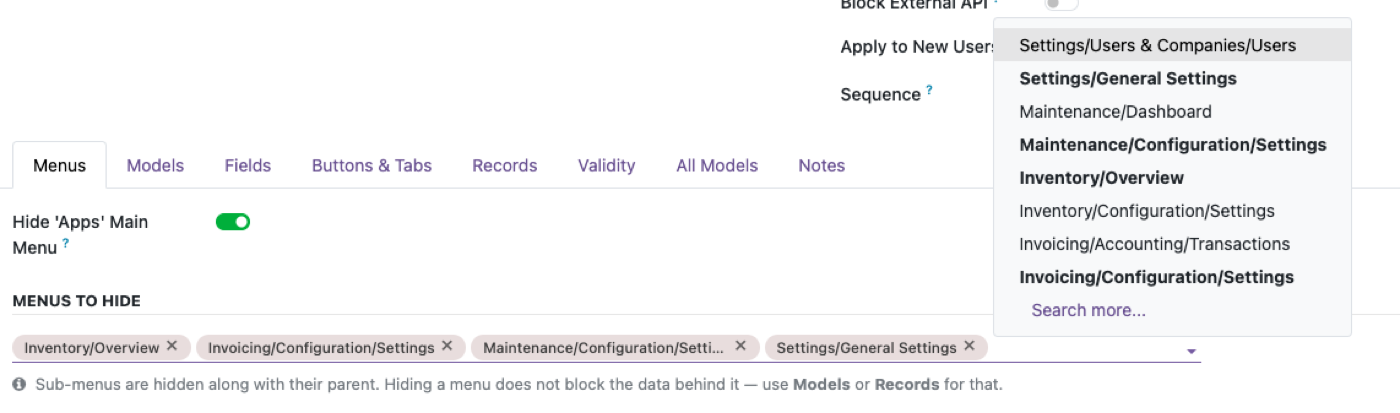
An Odoo menu item (ir.ui.menu) can carry a groups attribute, and when a user isn't in that group, the menu entry doesn't render. That's the whole mechanism. It's a UI filter on a navigation record — it says nothing about the model the menu used to point to. If that model's own access rights (ir.model.access) are still open to the user's other groups, the data is exactly as reachable as it was before. Only the shortcut is gone.
Five ways in that never touch the door you locked.
- Smart buttonsA button on a contact or order that opens the related model directly, bypassing any top-level menu.
- Related fields on other formsA field showing linked records from the "hidden" model, still readable inline on a form the user does have access to.
- Reports and dashboardsPivot tables, graphs, and print reports frequently pull from a model directly, independent of whether its menu is visible.
- A typed URLOdoo's web client will happily open a model's action from a direct link if the underlying access rights allow it — menu or no menu.
- XML-RPC, JSON-RPC, and API keysIntegrations don't navigate menus. They call models directly, and only model-level access rights apply.
Restrict the model. Let the menu follow.
Access Manager Pro's Model Permissions apply directly to the model — Views, Create, Edit, Delete, Export and the rest — for a profile, a group, or a specific user. Turn a model's Views switch off for a profile and every path into it narrows at once: the menu, the smart buttons, the reports, and the API, because the restriction lives on the model itself, not on one navigation record pointing at it.
| Hide the menu | Restrict the model | |
|---|---|---|
| Menu item disappears | Yes | Yes |
| Blocked via smart buttons / related fields | No | Yes |
| Blocked in reports and pivot views | No | Yes |
| Blocked over the API / RPC | No | Yes |
The rest of the cluster
Before you set it up
If the menu is gone, how would anyone reach the model anyway?
More ways than you'd expect: a smart button on a related record, a linked field on another form, a report, a URL typed directly with the model's technical name, or an API call. None of those go through the menu at all.
So is Odoo's menu security pointless?
Not pointless — incomplete. Hiding a menu is still good practice for a clean, uncluttered UI. It just isn't the same job as restricting the model, and treating it as if it were is where the gap opens up.
Does this apply to Odoo Enterprise too, not just Community?
Yes. Menu visibility and model-level access rights are separate mechanisms in both editions — Enterprise doesn't change the underlying distinction, only some of the tooling around it.
Ready to lock this down?
Try it on the live sandbox first — nothing to install.