How to restrict accounting users in Odoo
Build an Access Profile scoped to the accounting models — invoices, payments, bank statements — with Export and Delete typically off for junior staff, bank-account and payment fields masked outside of finance leadership, and a record rule limiting visibility to the relevant company if you operate more than one.
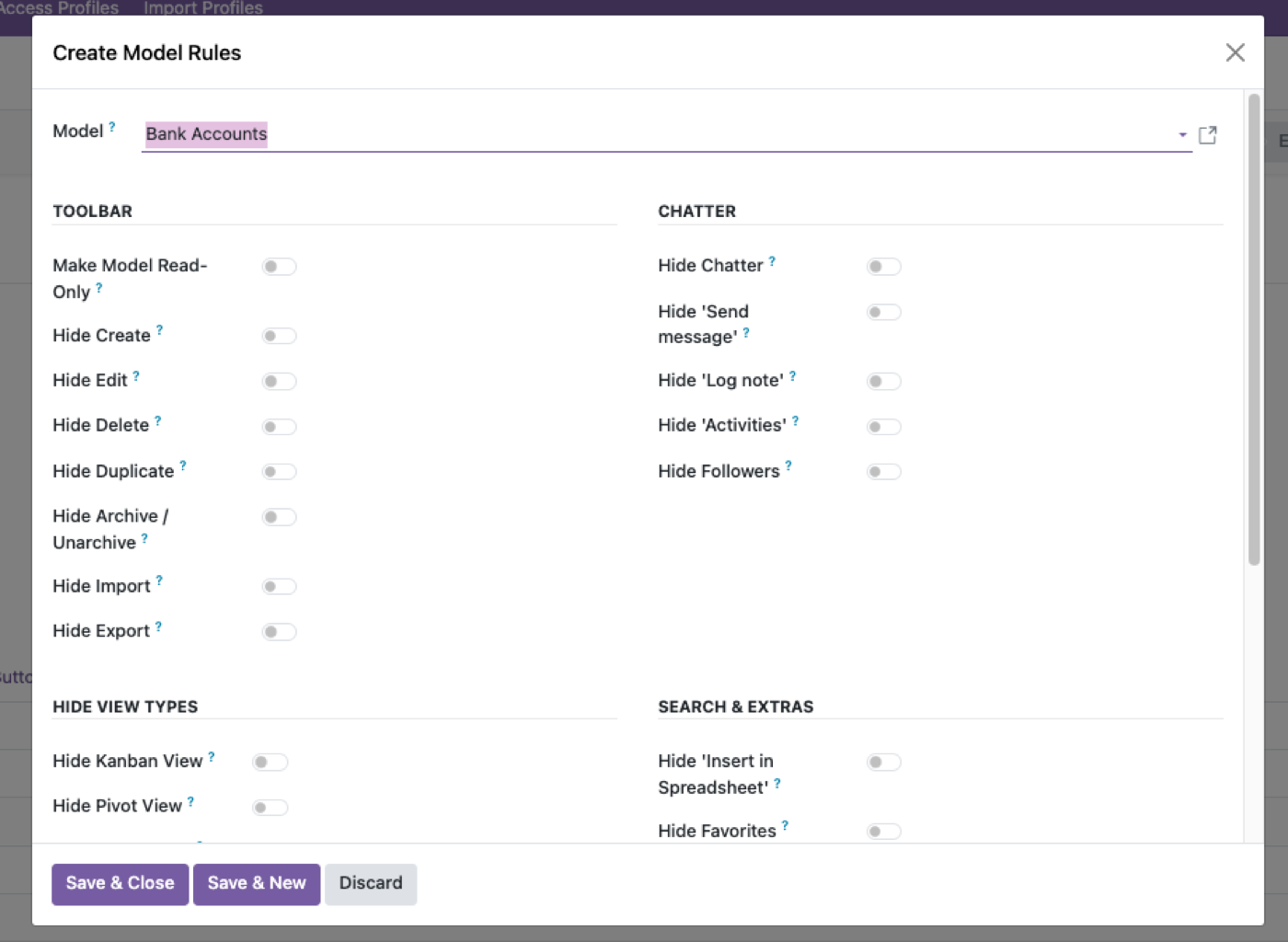
Restrict the sensitive fields first
Bank account numbers, payment references — mask rather than hide, so staff can confirm a value exists without seeing it in full.
Split Export and Delete from Edit
Most accounting-adjacent staff need to edit records; far fewer should be able to export or permanently delete them.
Add a company scope if relevant
If you run multiple entities, restrict the profile to the company that user actually works in.
Accounting restriction is journals, fields, then company
A bookkeeper who can open every journal, every company, and export bank accounts is not “restricted.” Native accounting groups are broad. Split: which journals they post to, which fields they see (bank, tax ID), which company_id they can read. Record rules on company are multi-company access; field states are field-level security.
Junior staff: Export and Delete off, bank fields masked, no Settings. Controllers: reports and export, still no unlink on posted moves. Payroll is not this page — restrict payroll.
Posted is the line you do not cross with a profile
Do not give cancel/draft on posted entries to people who were only meant to encode vendor bills. Native accounting already treats posted as the control. The profile should not punch a hole through it so someone can “just fix the amount.”
If they need to correct a bill, they need a credit note workflow, not unlink. Prevent deletion belongs on those models for everyone except a named data-fix role.
A one-hour accounting access test
As the junior profile: open a customer invoice in another company (should fail), export a payments list (should fail), see a full IBAN (should be masked or invisible), post a bill in their journal (should work), open Settings (should fail).
As the controller: reports and pivots still respect company. If totals mix companies, the rule is not a rule. Cite Odoo record rules when you explain that to an auditor.
The rest of the cluster
Before you set it up
What should junior accountants not be able to do?
Typically Export, Delete, and seeing bank-account or payment fields they do not need. Model rights plus field-level security.
How do I keep companies separate?
A record rule on company_id — the same record-rule mechanism Odoo uses natively. Multi-company access.
Is this the same as payroll restriction?
Related, but payroll is usually HR data. Restrict payroll access · Restrict HR users.
Ready to lock this down?
Try it on the live sandbox first — nothing to install.