CrewAI does not live in Odoo. It calls the same MCP server Claude does.
A crew is a Python process you run. Official MCP support is the mcps field on an Agent — a remote HTTPS string, or structured stdio / HTTP / SSE configs. There is no CrewAI screen in Odoo Settings. There is no first-party Odoo ↔ CrewAI module from Odoo S.A. If you skip the tool filter, Crew.kickoff() will call every Odoo tool the agent can see.
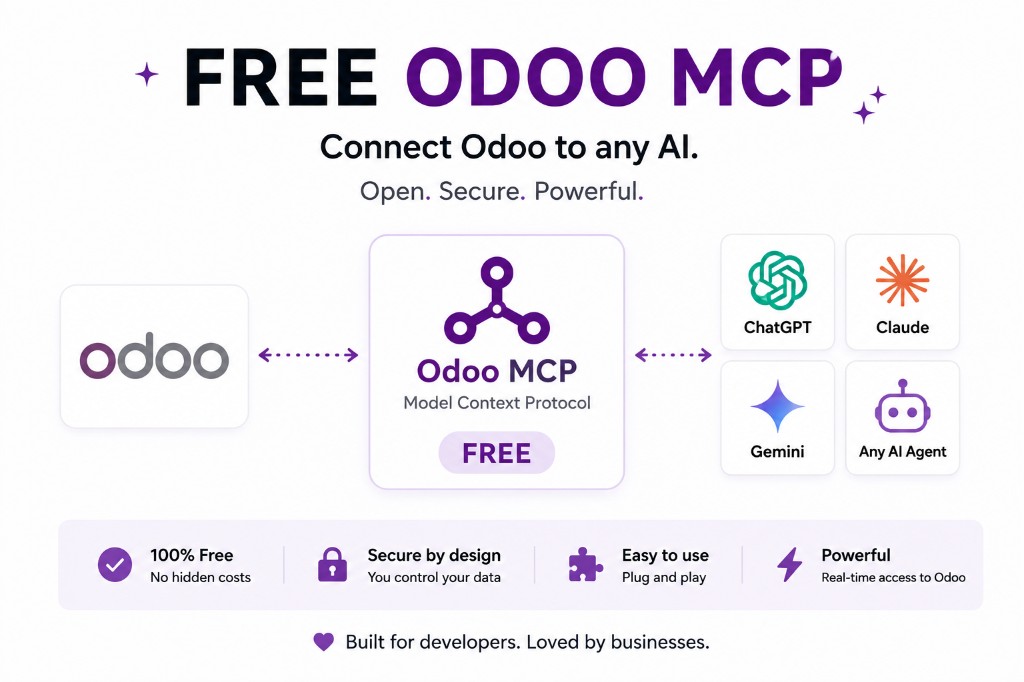
Architecture: Odoo → JSON-2 or in-process ORM → MCP server → CrewAI Agent. CrewAI’s docs describe MCP as tools on the agent, not as an ERP connector brand. Odin’s in-Odoo MCP suite is not a CrewAI product — it is an MCP server a crew can call, the same way Claude can.
You should walk away with a working Agent(mcps=[...]) shape, a transport you can defend, and a tool list small enough that a looping crew cannot unlink invoices.
The integration is mcps on the Agent. Not a Settings app.
CrewAI documents two layers in their MCP overview. The recommended path is the mcps list on Agent: a remote HTTPS string, a #tool_name suffix to take one tool, or structured objects (MCPServerStdio, MCPServerHTTP, MCPServerSSE) when you need headers or filters. For manual connection management they ship MCPServerAdapter in crewai-tools.
Install the DSL path with uv add mcp. The adapter path is uv pip install 'crewai-tools[mcp]'. That is CrewAI’s current install note, not ours.
A remote Odoo MCP URL looks like any other HTTPS MCP server in that list. You do not install CrewAI inside Odoo. You do not paste an Odoo admin password into a crew YAML and call it done.
from crewai import Agent, Task, Crew

erp_analyst = Agent(
    role="ERP analyst",
    goal="Answer read-only questions from live Odoo",
    backstory="Uses a governed MCP tool list, not admin RPC",
    mcps=["https://mcp.example.com/odoo"],
)

task = Task(
    description="List the 20 largest customers by sales for the dedicated MCP user.",
    expected_output="A table of partner names and totals that matches the Odoo UI.",
    agent=erp_analyst,
)

Crew(agents=[erp_analyst], tasks=[task]).kickoff()
That string form is CrewAI’s quick-setup shape. Replace the URL with your server. On Odoo 19 the server should talk JSON-2 with a bearer key for a dedicated user — Odoo will not let you mint a JSON-2 key that lasts more than three months. On 18, XML-RPC/JSON-RPC or an in-Odoo module that never leaves the worker. Odin’s module supports Odoo 19 and 18 — not 17.
Headers and a tool filter. Then, and only then, a crew.
A bare URL is fine for a sandbox. Production ERP traffic usually needs a bearer header. CrewAI’s HTTP object takes headers. For a tight tool list they document tool_filter on structured configs (shown on stdio in the overview) and a #tool_name suffix on string URLs.
from crewai import Agent
from crewai.mcp import MCPServerHTTP

erp_analyst = Agent(
    role="ERP analyst",
    goal="Read live Odoo without posting",
    backstory="Tight tool list, dedicated user",
    mcps=[
        MCPServerHTTP(
            url="https://mcp.example.com/odoo",
            headers={"Authorization": "Bearer YOUR_MCP_TOKEN"},
            streamable=True,
            cache_tools_list=True,
        ),
    ],
)

# Or take one tool from a remote server:
# mcps=["https://mcp.example.com/odoo#search_partners"]
If your server exposes twenty tools, do not pass the whole list to a crew that runs unattended. Filter in CrewAI, and still filter on the Odoo side with a dedicated user. The names in the # suffix must match what the MCP server actually exposes.
Stdio, SSE, and Streamable HTTP are not interchangeable
CrewAI’s adapter list is explicit:
| Transport | Where it runs | Use it when |
|---|---|---|
| stdio | Same machine, child process | Local sidecar during development |
| SSE | Remote HTTP, server-to-client stream | The MCP server actually speaks SSE |
| Streamable HTTP | Remote HTTPS (often SSE underneath for streams) | Production ERP traffic you control |
Gemini’s remote MCP path is Streamable HTTP only — SSE servers are not that client. A crew can use SSE; a Gemini agent on the same Odoo MCP might not. Pick the transport your Odoo MCP actually speaks, then pick clients that match. Do not assume one URL works for every vendor. Gemini notes.
Stdio is for a local sidecar. Production ERP traffic should be HTTPS to a server you control. Anthropic’s Claude custom connectors call from Anthropic’s cloud, not the laptop; a CrewAI process you run can sit on your VPC. That is the operational difference, not a different Odoo API. Claude notes.
A crew has no chat “allow this write” click by default
Claude’s custom connector UI can surface permissions. A CrewAI Crew.kickoff() will call every tool the agent can see unless you filter. CrewAI documents tool filters on structured MCP configs — use them. Expose search/read only until a human is in the loop for postings.
That is stricter than a chat demo because a multi-agent crew can loop. One hallucinated unlink in a chat is a scare. The same tool on a nightly crew is a data incident. Dedicated Odoo user, record rules, no admin, JSON-2 rights on 19. Odoo MCP security.
Connect Odoo to CrewAI without a custom RPC bot
- Stand up an MCP server against Odoo — JSON-2 on 19, or an in-Odoo module on 18/19. Do not start a new 19 stack on XML-RPC. XML-RPC and JSON-RPC are deprecated in 19 and scheduled for removal in Odoo 22.
- Authenticate as a dedicated user. Never the admin login. On 19, a JSON-2 API key (Odoo caps keys at three months — you must rotate).
- Publish a small tool list: customers, open orders, overdue invoices, low stock. No confirm, no unlink, no invoice write.
- Point
Agent(mcps=[...])at the HTTPS URL, orMCPServerHTTPwith headers if the server needs a bearer token on the MCP side. - Run one read-only task in staging. Compare counts to the Odoo UI for that same user. Then, and only then, talk about writes with a person approving.
Generic agent sequence (task first, tools second): how to connect an AI agent to Odoo. Same MCP layer as Claude and Gemini — do not rebuild Odoo permissions per framework.
CrewAI client vs the JSON-2 stack
How you attach a Python crew belongs here. What Odoo 19 accepts on POST /json/2/{model}/{method} belongs on JSON-2 then MCP. Odoo Online still gates the external API to Custom plans; an in-Odoo module can skip that gate if you can install it. Confirm edition before you promise a crew on Standard Online.
Odoo 19.4’s “connect via MCP” line is Odoo’s product note. It is not a CrewAI feature. Confirm both sides. Odoo 19.4 MCP.
FAQ
Can CrewAI connect to Odoo?
Yes, as an MCP client. CrewAI documents attaching MCP servers on an Agent via the mcps field or MCPServerAdapter. The Odoo side is still an MCP server plus a dedicated user — not a CrewAI app inside Odoo. CrewAI MCP overview.
Is this different from Claude or Gemini?
Same Odoo MCP layer. Different client: a Python crew you run, not a chat connector UI. CrewAI can use stdio, SSE, or Streamable HTTP; Gemini’s remote MCP path does not support SSE. Filter tools; a crew will call what it can see.
Does Odin ship a CrewAI module?
No. Odin’s MCP Governance Suite is an in-Odoo MCP server for MCP-compatible agents, on Odoo 19 and 18 (not 17). CrewAI is one possible client, like Claude. Included on Odin hosting; App Store list price $199.
Should the crew use XML-RPC on Odoo 19?
Not for new work. JSON-2 is the current external API; XML-RPC and JSON-RPC are deprecated in 19 and scheduled for removal in Odoo 22. JSON-2 vs XML-RPC vs JSON-RPC.
The rest of the MCP cluster
Start read-only. Ask a real question.
Sandbox on sample data, or we put MCP on your instance.